Connexion
Asus reveals next-gen displays, new gaming peripherals and WiFi 8 devices

Ahead of CES, members of the European Hardware Association, including KitGuru, were invited to Asus HQ to get an early look at upcoming gaming hardware. Here, we take you through Asus ROG's next-generation gaming monitors, as well as new peripherals and WiFi 8 devices.
Visual output and immersion
ASUS framed its 2026 display line-up as a series of portfolios, rather than a set of isolated products. Gaming and professional are well understood market segments, but there is now increased emphasis on ‘prosumer’ products that bridge the gap.Across all markets, ASUS is clearly trying to address clarity, brightness control and long-term usability.
A key technical change highlighted early in our tour of the company’s new products was the shift to a new RGB stripe pixel layout in next-generation OLED panels. ASUS stressed that this change is central to improving text clarity and colour precision as well as overall image stability, particularly at higher brightness levels. Alongside this, ASUS is using its own BlackShield film-coating technology to improve perceived black levels and reduce glare by up to 40%. Hardness is also increased for 2.5x more scratch resistance. This enhancement for the ROG Swift OLED PG34WCDN certainly adds to the premium look/feel of this screen.
At the gaming end of the spectrum we have the ROG Swift OLED PG27UCWM (Tandem RGB OLED) and PG34WCDN (RGB QD-OLED). ASUS claims higher sustained brightness, improved colour volume (PG27UCWM) & refresh rates designed to match next-generation GPUs, with DisplayPort 2.1a support positioned as an important part of future-proofing.
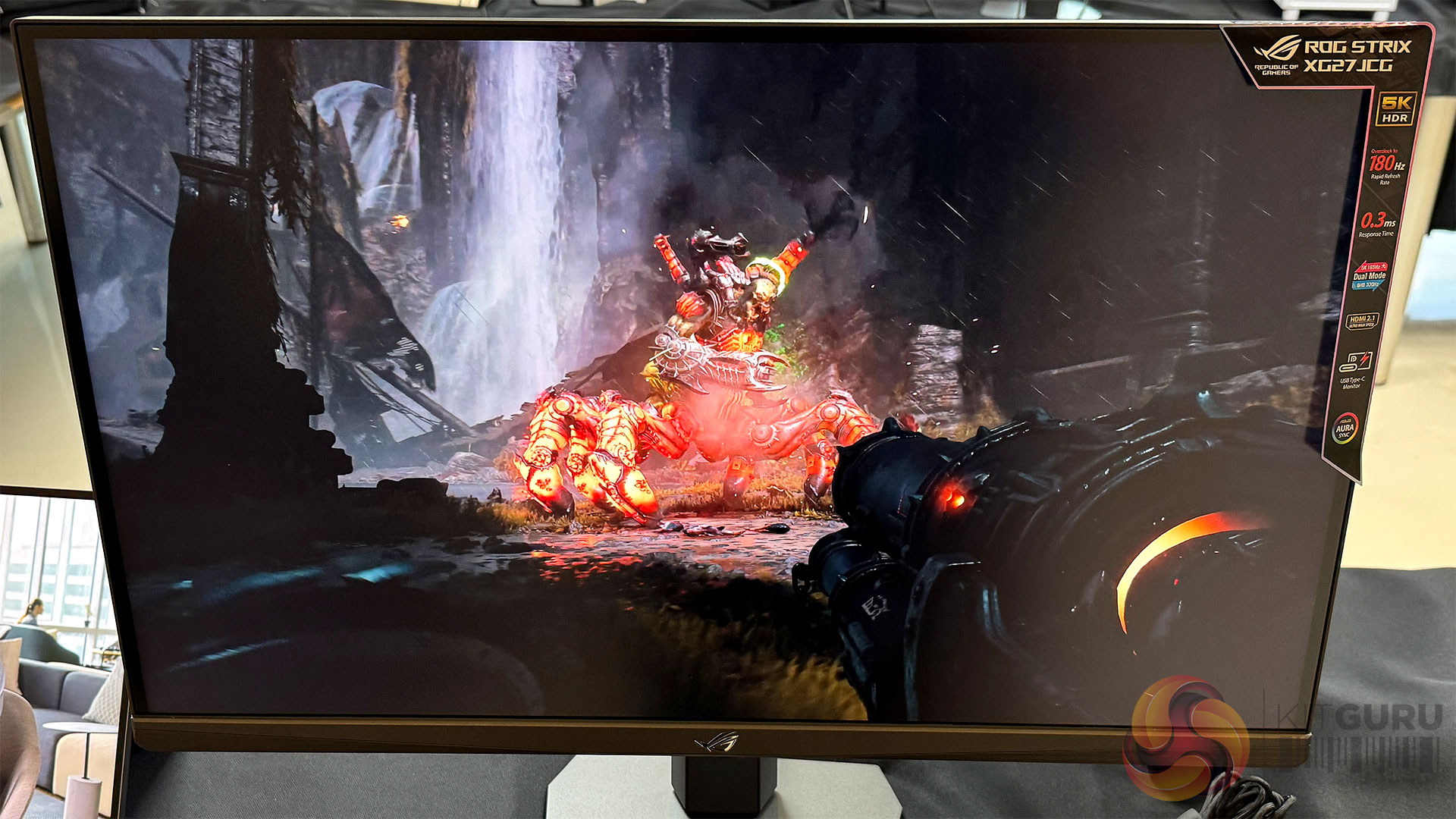
The ROG Strix 5K XG27JCG pushes resolution and refresh rate simultaneously. This 5K screen uses a fast IPS panel with a 0.3ms G2G response and 218 PPI density, guaranteeing that you won’t see any pixels from a normal seated distance. Other nice features included DisplayWidget Center, AI gaming AI features like Dynamic Crosshair, Dynamic Shadow Boost and AI Visual. This screen will initially list close to £699. The Dual Mode feature allows for effortless switching between immersive 5K at 180Hz for cinematic adventures and lightning-fast QHD (2560 x 1440) at 330Hz for peak performance.
ASUS also presented a timeline of gaming monitor evolution, showing how OLED and high refresh rates have converged over recent years. Extending that timeline further into the future, ASUS demonstrated something very different during the tour – for which we were taken to a secured area on another floor. The product being guarded was the ProArt Cinema PQ09. This is a 162-inch Micro LED display with a 4K 10-bit panel, 0.93mm pixel pitch, 1,200 nits peak brightness, a claimed 1,000,000:1 contrast ratio and 99 percent DCI-P3 coverage with Delta E below 2. To help you get a sense of the true size of this monitor, we enlisted the help (and wing span) of Tudor from Lab501. With an indicated price of around $160,000, this is obviously not a ‘general consumer product’ right now, and it is unlikely to be appearing in everyday gaming setups any time soon. That said, it serves as a useful reference point for where display technology is heading, and it underlines how much headroom still exists beyond today’s OLED panels.

ASUS is also continuing to explore alternative ways to experience large-format displays. The ROG XREAL R1 AR gaming glasses aim to deliver a perceived screen size of up to 171” with refresh rates peaking as high as 240Hz. ASUS acknowledges that adoption of wearable displays remains uncertain, but the technical ambition is clear. Certainly if you need a large desktop are on a plane or train, then your traditional LED options will be limited – so the ROG gaming glasses could make sense for certain categories of user.
At the professional end of the spectrum, ASUS highlighted a deliberate strategy of pushing flagship ProArt products further upmarket while simultaneously broadening access for creators and prosumers. Displays such as the ProArt Display OLED PA27USD and PA32UCDMR-K are designed for users who have outgrown basic office monitors, but who don’t necessarily operate in full studio environments.
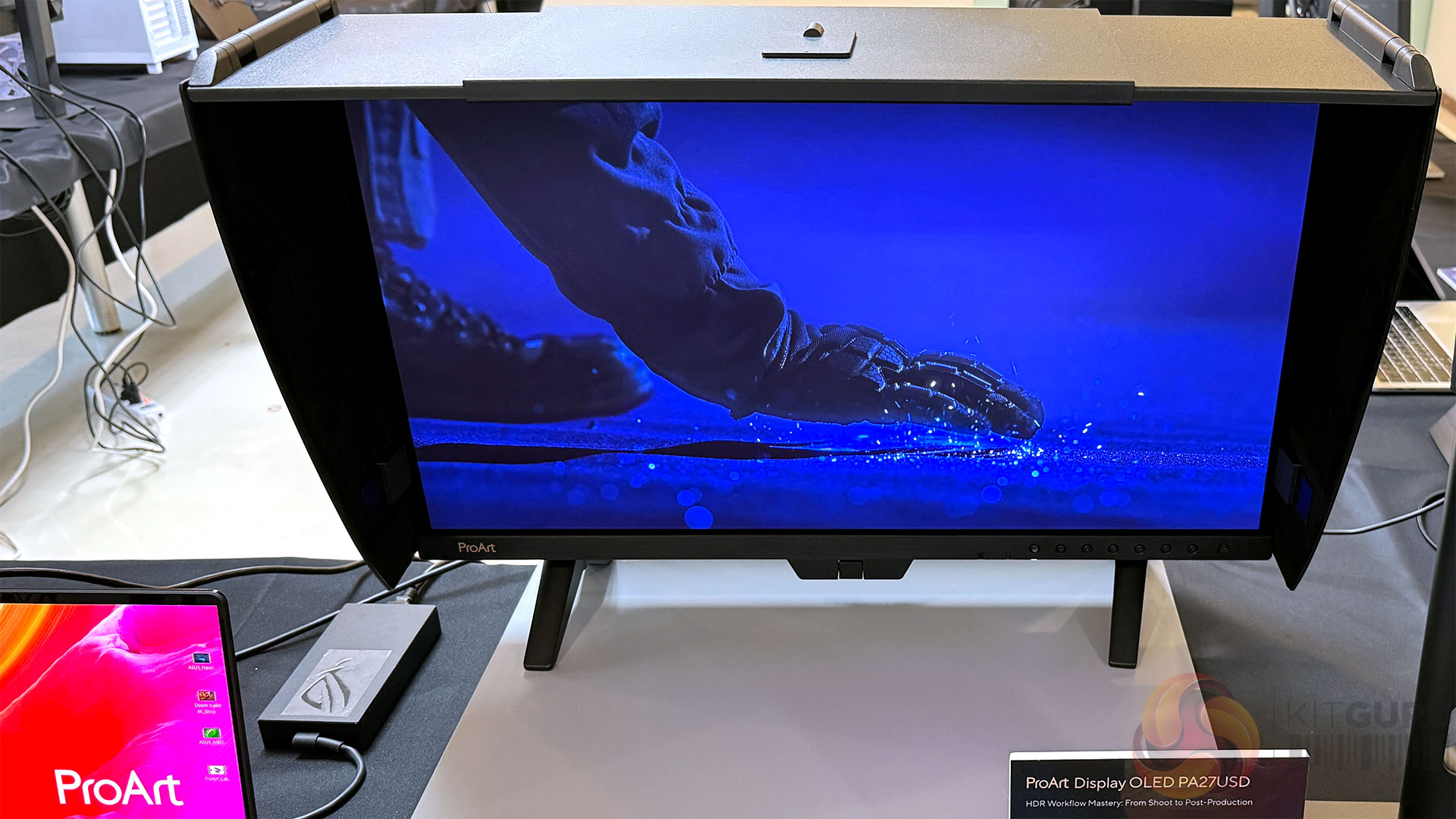
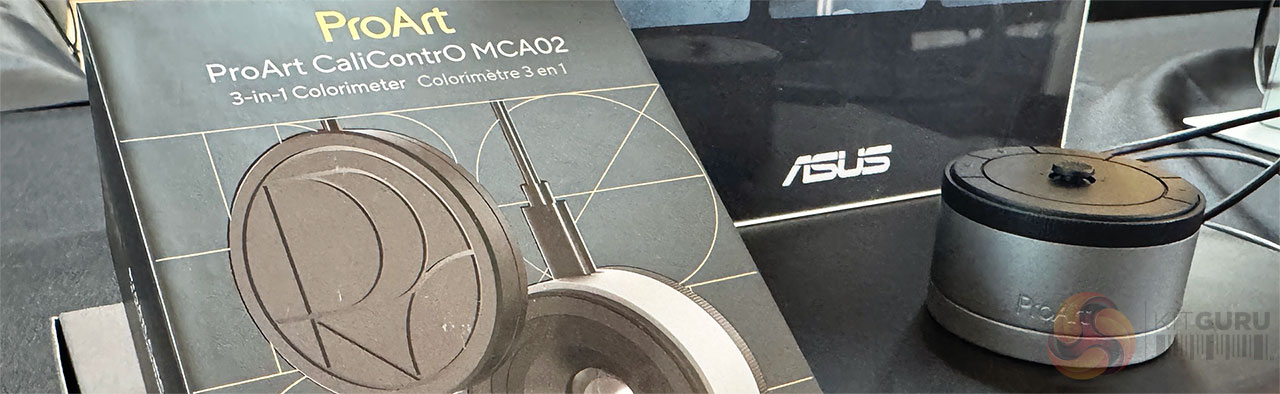
ASUS cited growing demand from content creators and hybrid professionals who need accurate colour, higher brightness and modern connectivity without stepping into prohibitively expensive territory. ASUS insists that its ProArt screens have been targeted at professional creators. As such, thePA32UCDMR-K is Calman Ready with ColourSpace integrated and is supplied with a monitor hood – as well as the latest version of ASUS' Colorimeter, the MCA02.
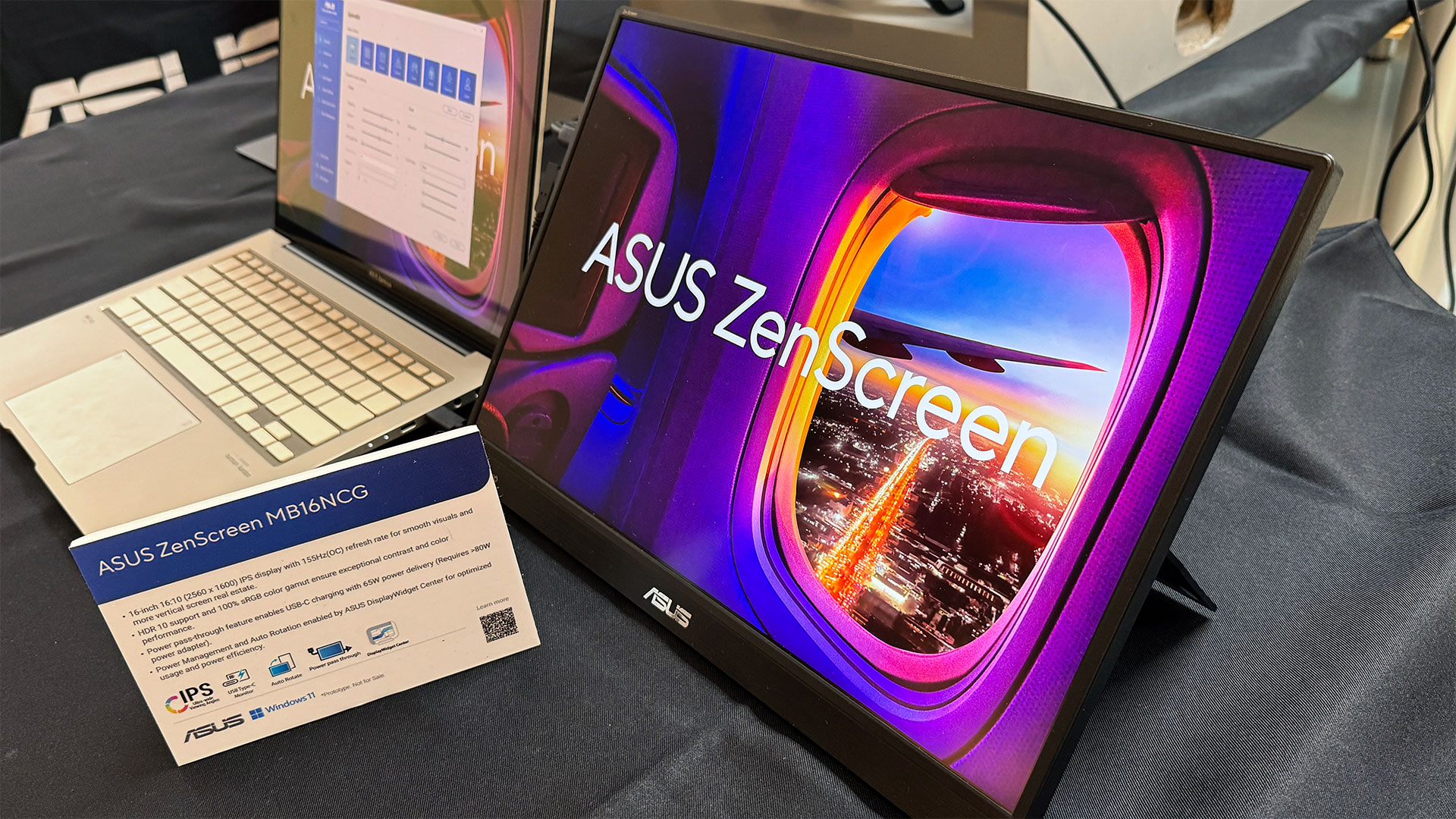
Finally, ASUS briefly covered more consumer-oriented and portable displays, including the ZenScreen OLED MQ16FC and ZenScreen MB16NCG. While these products sit slightly outside KitGuru’s core focus, the USB Type-C connectivity, power pass through, 100% sRGB high refresh rates and sub-1kg weight of 16” (16:10 ratio) models like the MB16NCG, make them genuinely interesting as laptop companions for travel and flexible work setups.
Networking and routers
Networking was presented as one of the most misunderstood performance bottlenecks in modern systems. ASUS was keen to emphasise that WiFi-7 is not obsolete, nor is it a failed standard. In fact, ASUS positions WiFi-7 as very much ‘now’, with meaningful improvements over WiFi-6 when implemented properly.
Products such as the ROG Strix GS-BE7200 were used to demonstrate what a well-executed WiFi-7 router can deliver today, including improved 5GHz performance at range, better handling of DFS channels and more consistent throughput in real homes. ASUS claims up to 15 percent better 5GHz performance compared to previous designs (5GHz 4T4R), though as with all such figures, real-world results will depend on environment and client devices.
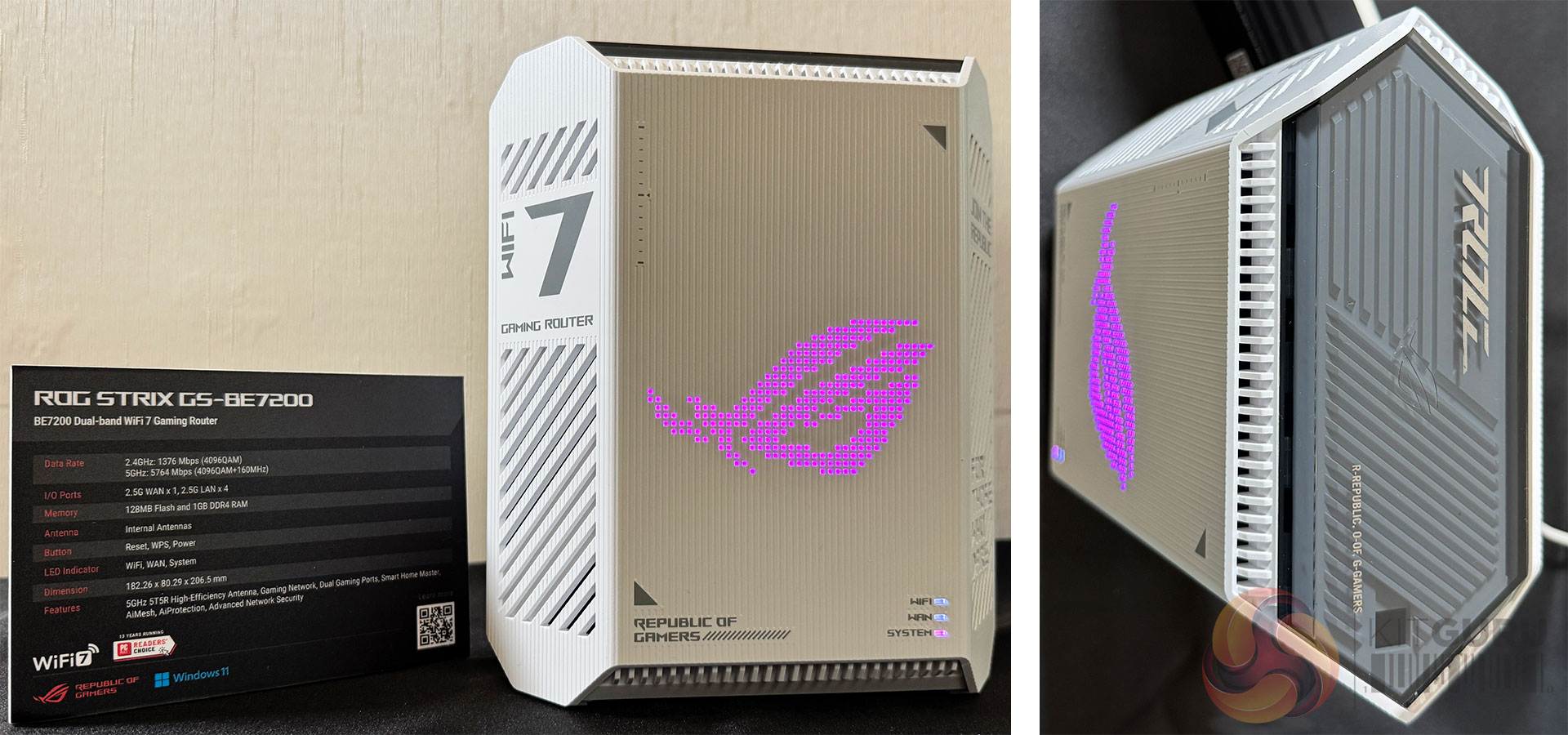
At the same time, ASUS acknowledged that WiFi-7 adoption has been slower than expected. One reason is that many users struggled to see a compelling upgrade path from a strong WiFi-6 router to an average WiFi-7 one, particularly when headline speed increases did not always translate into day-to-day improvements. We’ve certainly found gaps between manufacturer’s claimed maximum speeds and our own real-world testing in 3-floor houses built with bricks.
Slides covering WiFi-8 made it clear that ASUS expects early hardware to arrive ahead of 802.11bn standards receiving final ratification. The standard could be finalised around the middle of 2028 – while WiFi-8 hardware could start to ship as early as 2026. Bear in mind that we are talking about WiFi-8 routers and not clients – which will normally follow on a little later. For reference, KitGuru saw its first WiFi-7 dongle at IFA 2025, back in August.
Crucially, ASUS is framing WiFi-8 as a shift in priorities, rather than a simple speed race. Specifically emphasising the move towards aggregate bandwidth, multi-user performance and latency consistency, rather than peak single-device throughput. ASUS claims improvements of up to two times mid-range throughput, two times lower latency, and significantly higher reliability compared to WiFi-7, with a particular focus on more balanced uplink and downlink performance.
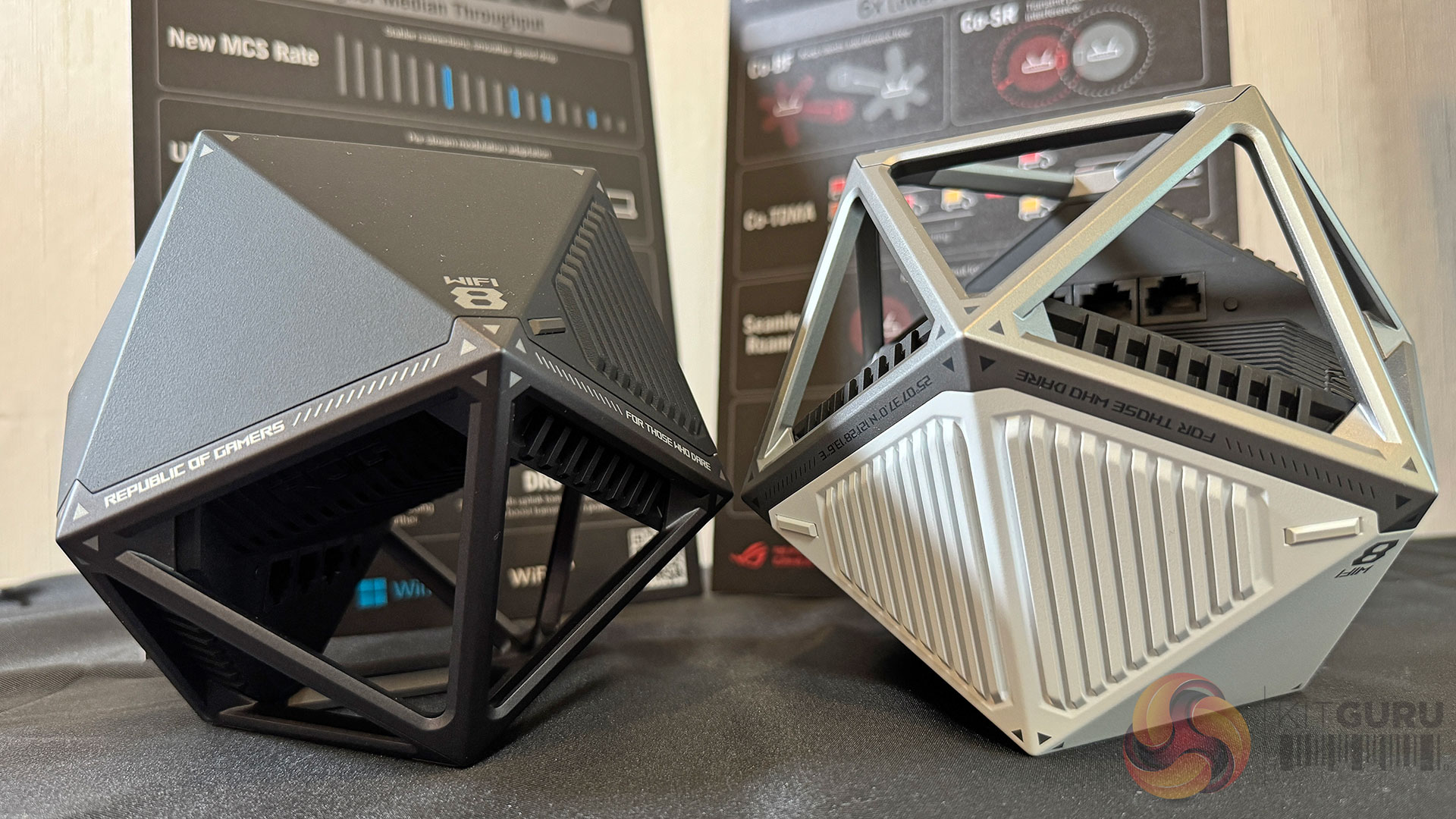
ASUS also leaned into the idea that AI-driven optimisation will increasingly sit at the network layer. Many users intuitively expect AI to make complex systems behave better without manual tuning, and ASUS positions WiFi-8 routers as platforms that can intelligently manage traffic based on device behaviour, workload type, and contention, rather than simply pushing more raw bandwidth.
On this Tech Tour, we got to hold WiFi-8 routers that bear more than a passing resemblance to next-gen TIE Fighters from Star Wars.
Alongside consumer and gaming routers, ASUS highlighted its ProArt Creator networking products, including the ProArt Router PRT-BE5000 and ProArt Switch PQG-U1080. These are positioned as practical solutions for creators and small studios who need reliable wired and wireless performance, multi-gigabit connectivity, and simple management, without stepping into full enterprise networking complexity. Moving to an expensive next-gen router at home will be far harder to justify than installing such devices in a video/creator studio environment.
Gaming peripherals
ASUS’ gaming peripherals presentation focused on refinement rather than reinvention. Across keyboards, mice, and headsets, the emphasis was on precision, consistency, and wireless maturity.
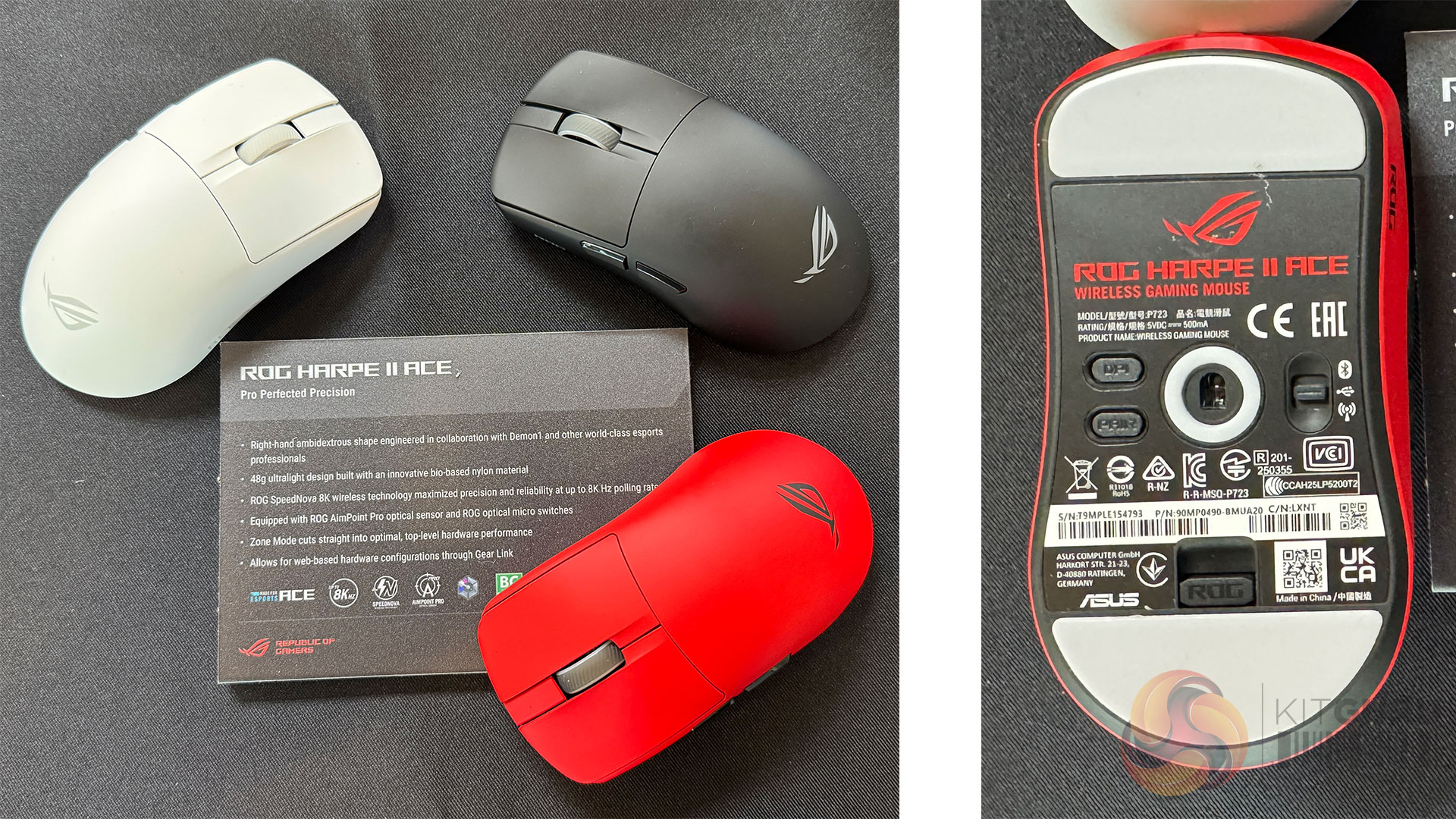
Keyboards such as the ROG Falchion Ace 75 HE, reflect the continued move towards Hall Effect and ROG HFX V2 magnetic switches, with ASUS focusing on actuation consistency and longevity. Similarly, mice like the ROG Harpe II Ace and ROG Keris II Origin build on optical sensors, high polling rates, and shapes informed by esports feedback, where marginal gains are now more about ergonomics and feel than raw specifications. Essentially, physically-lighter mice in cooler colours with faster responses.
Wireless technology is no longer treated as a compromise. ROG’s SpeedNova technology appears across multiple devices, supporting low latency, stable connections, and multi-device setups. In practical terms, wireless input now feels like the default at the high end, rather than an optional convenience. In general, you can choose your own battery life by keeping the RGB disco lights on or off.
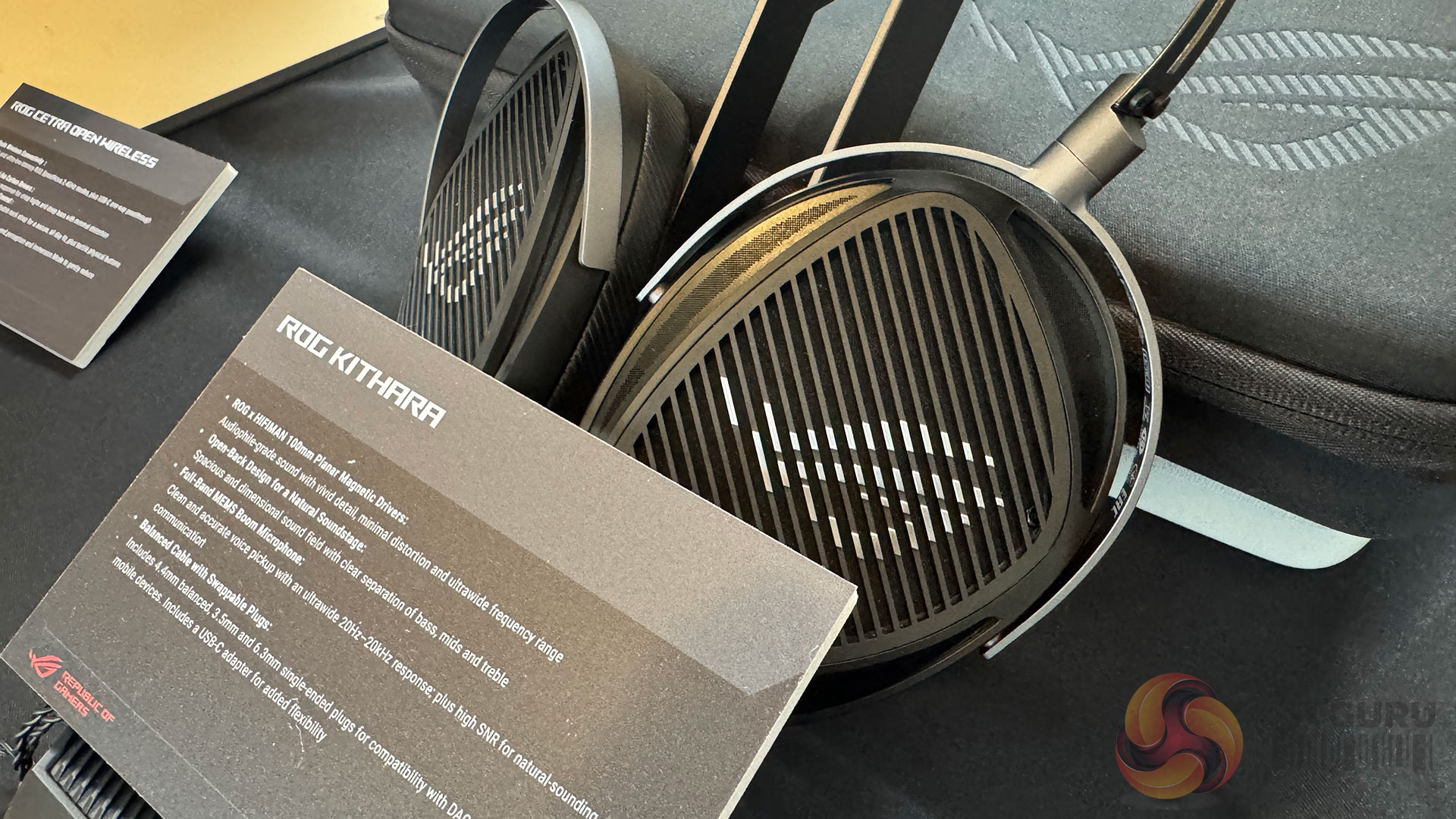
Audio was clearly the centrepiece of the peripherals briefing. The ROG Kithara was positioned as a flagship product, with ASUS indicating an expected price point around $299 at launch. This is not a budget product, but instead aims to deliver high quality audio for those who value mobility as well as audiophile-grade sound. ROG-customised HIFIMAN 100mm planar magnetic drivers deliver lifelike audio with sharp, precise detail. Engineered for competitive play, the Kithara headset features an integrated full-band MEMS microphone for clear in-game communication.
A balanced headphone cable with swappable plugs, along with a USB-C adapter, ensures uncompromised audio fidelity and broad compatibility across a wide range of devices. At this price level, expectations will be high, and independent testing will be essential to determine whether the experience justifies the price.
The KJP series of peripherals was also shown as a design-led extension of the ROG ecosystem, including headset, mouse and mouse pad. While these products are more about aesthetic and brand expression than performance leadership, they sit alongside a broader line-up that remains firmly focused on competitive use.
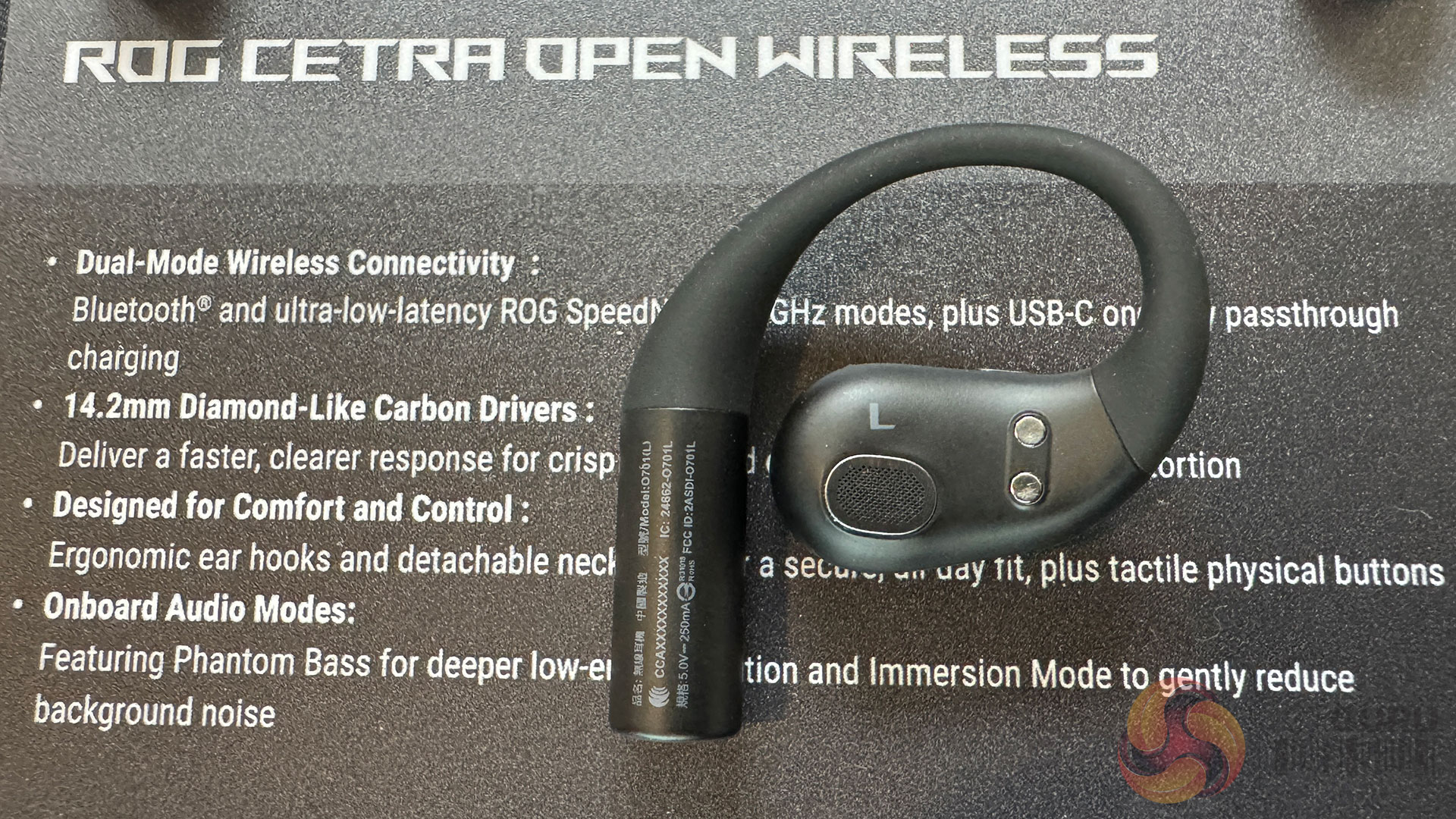
Finally, another neatly-designed audio product comes to market in the form of the ROG Cetra Open Wireless earbuds. In addition to Bluetooth, they offer ultra-low-latency ROG SpeedNova 2.4GHz – as well as USB-C one-way pass-through charging. The 14.2mm diamond-like carbon drivers promise faster, clearer response and, overall, the ‘ergonomic ear hook' design promises comfort should you decide to use them all day. There are tactical/physical buttons to make them easier to adjust – and the Cetra features Phantom Bass for deeper low-end perceived tones – as well as ‘Immersion Mode' to get rid of the noise of the outside world.
Compact compute and NUC systems
The ASUS NUC and mini PC strategy spans a wide range of use cases, from education and commercial deployments to gaming and AI development. What became clear during the briefing is that not all AI performance figures are created equal. Specifically, there’s a lot of questionable emphasis on TOPS figures at the lower end of the performance scale.
Systems such as the ASUS NUC 16 Pro and ExpertCenter PN55 offer between 55 AI TOPS and 180 platform TOPS of AI performance, depending on configuration. In real-world terms, this level of capability is sufficient for local assistants, transcription, image processing and OS-level features such as Microsoft Copilot+. It could be useful, but it is not transformative compute. At this level, AI performance often feels like a compliance requirement rather than a compelling reason to upgrade, and it is difficult to ignore the influence of platform mandates and co-marketing incentives in shaping these products.
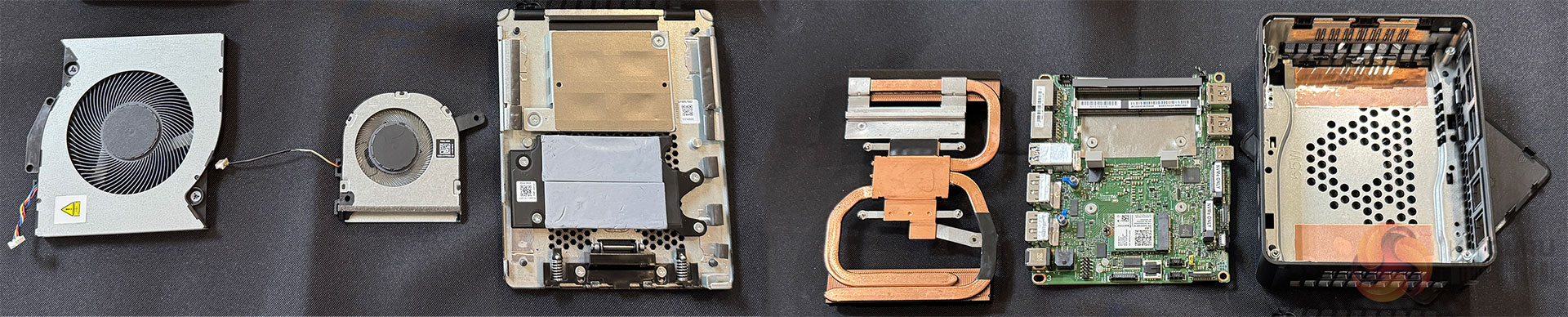
The complexities involved in building modern NUCs is not to be under-estimated. Cooling with longevity, as the components themselves continue to get better, is a challenge.
That doesn’t make these systems irrelevant. They could definitely make sense for colleges, offices and edge deployment situations where space, power efficiency, manageability and reliability matter more than raw AI throughput. ASUS’ own categorisation of these devices as ‘Everyday AI’ and ‘Next Level AI’ is accurate, rather than hugely overstated.
The ROG GR70 is where the compact compute story becomes far more convincing. With CPU options up to the AMD Ryzen 9 9955HX3D processor and an NVIDIA GeForce RTX 5070 Laptop GPU in a 3-litre chassis – this is a serious gaming system rather than a marketing exercise. Here, performance will be judged on frame rates, thermals and acoustics. On paper, the specification suggests a genuinely capable compact gaming machine.
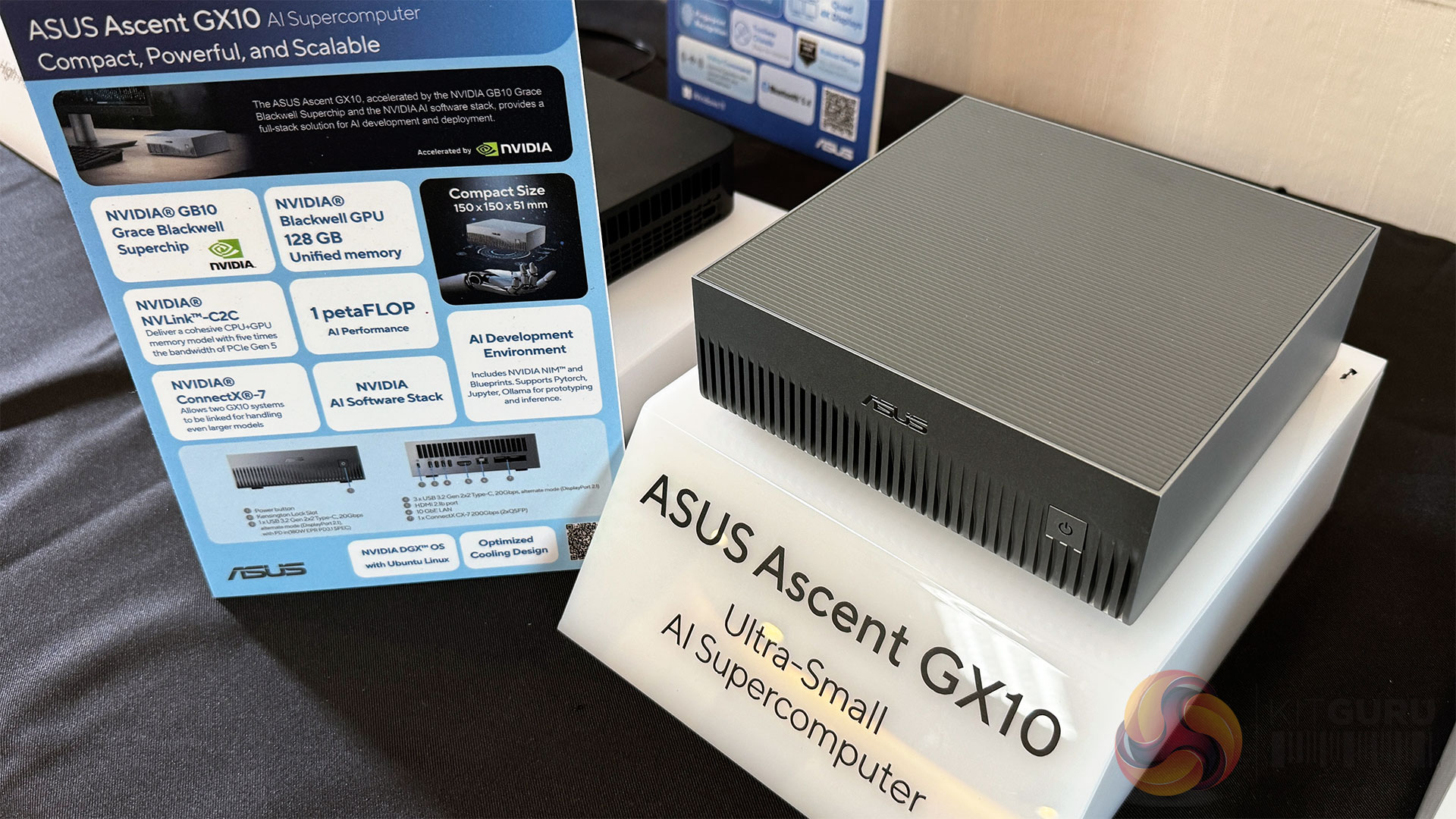
The stand-out product, however, is the ASUS Ascent GX10. With a claimed 1 petaFLOP of AI performance, powered by the NVIDIA GB10 Grace Blackwell Superchip and supported by 128GB of unified memory, this system moves decisively into desktop supercomputer territory.
ASUS claims the GX10 can handle models of up to 200 billion parameters, bringing serious AI development capability into an ultra-compact 150×150×51mm enclosure.
This mirrors the philosophy behind the larger ET900N G3 shown earlier in the tour, but in an even more accessible form. For organisations and developers looking to build, test, and refine AI models locally, offline, or in secure environments, the Ascent GX10 could prove genuinely compelling.
KitGuru says: Across displays, networking, peripherals, and compact systems, the ASUS 2026 portfolio reflects a shift towards experience and integration as the primary differentiators. Many of the performance figures discussed here come directly from ASUS briefings, and KitGuru will be looking to validate those claims through independent testing as products become available.
The post Asus reveals next-gen displays, new gaming peripherals and WiFi 8 devices first appeared on KitGuru.