↩ Accueil

Vue normale

Reçu aujourd’hui — 7 janvier 2026 1.3 🖥️ Tech. English

CES 2026: ASUS opens door for next-gen, high-performance systems

7 janvier 2026 à 16:36

During the European Hardware Association Tech Tour, KitGuru was invited to ASUS headquarters in Taipei for an early look at a wide range of hardware planned for 2026. Rather than focusing on individual launches, the briefings were structured around broader design themes – power delivery, thermal density, system integration and the growing need to treat modern PCs as complete platforms rather than collections of parts. 

What follows is an overview of how ASUS is approaching that challenge across its 2026 high-performance portfolio – starting with its new motherboards/platforms. 

ROG Crosshair X870E and the NEO Refresh
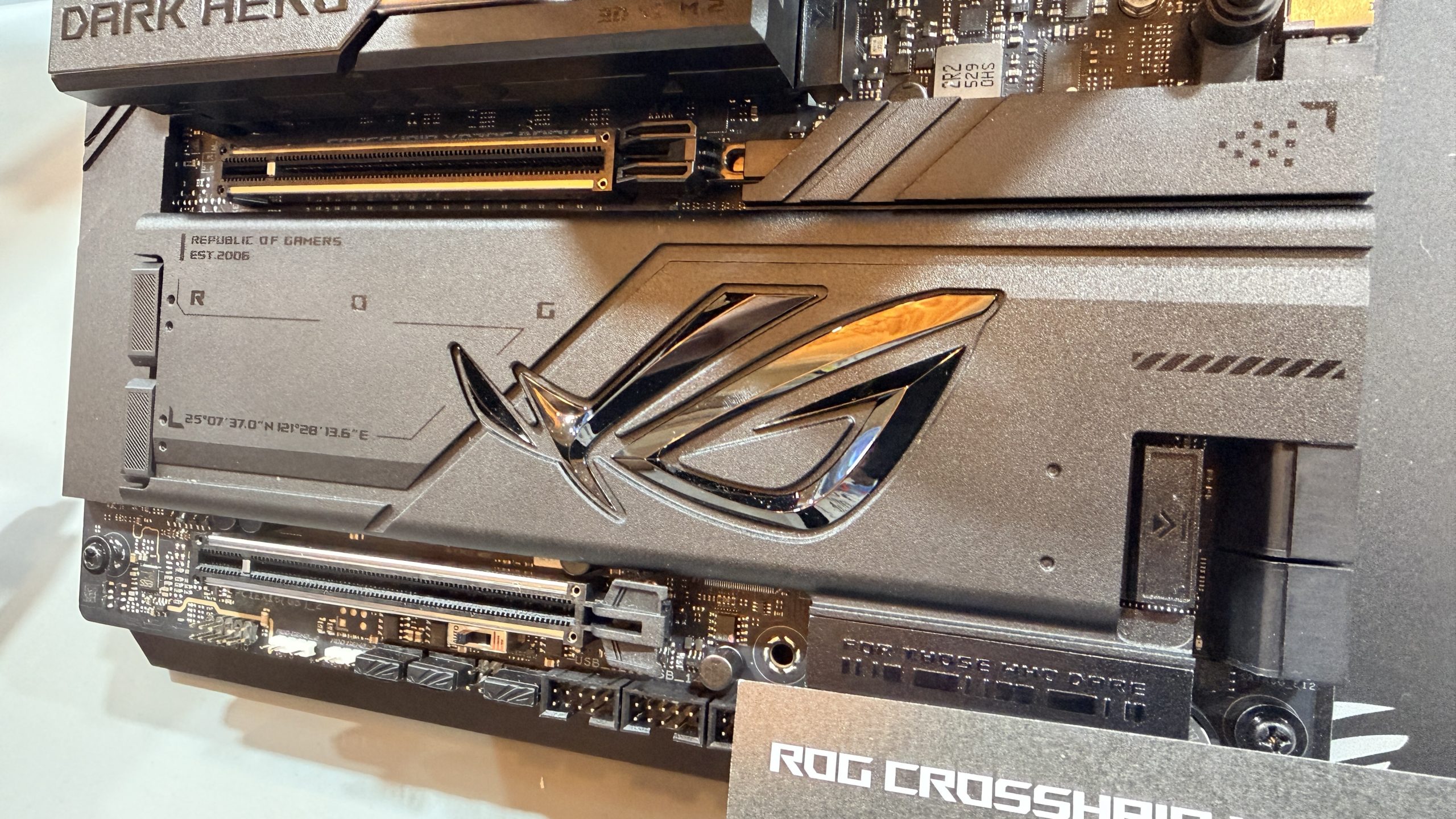
At the centre of ASUS' next-generation strategy sits the ROG Crosshair X870E platform, positioned as the flagship foundation for upcoming AMD systems. Two models lead that charge – the Crosshair X870E Glacial and Crosshair X870E Dark Hero – each targeting slightly different priorities while sharing the same underlying design intent. More will be announced about the NEO refresh closer to the launch in February 2026.
Power delivery and future-proofing
ASUS is explicit that these boards are designed with future AMD CPUs in mind, including processors that may, in theory, demand 200W or more of sustained power draw. While no such CPUs have been announced publicly (at the time of writing), this expectation aligns with broader industry conversations around rising power density and sustained boost behaviour. 

The Glacial model features a 24(110A)+2(110A)+2 power stage design, while the Dark Hero uses a 20(110A)+2(110A)+2 configuration, both employing ProCool II connectors, MicroFine alloy chokes and premium metallic capacitors. The intent here is not peak benchmarking, but long-term electrical stability under heavy, sustained loads.
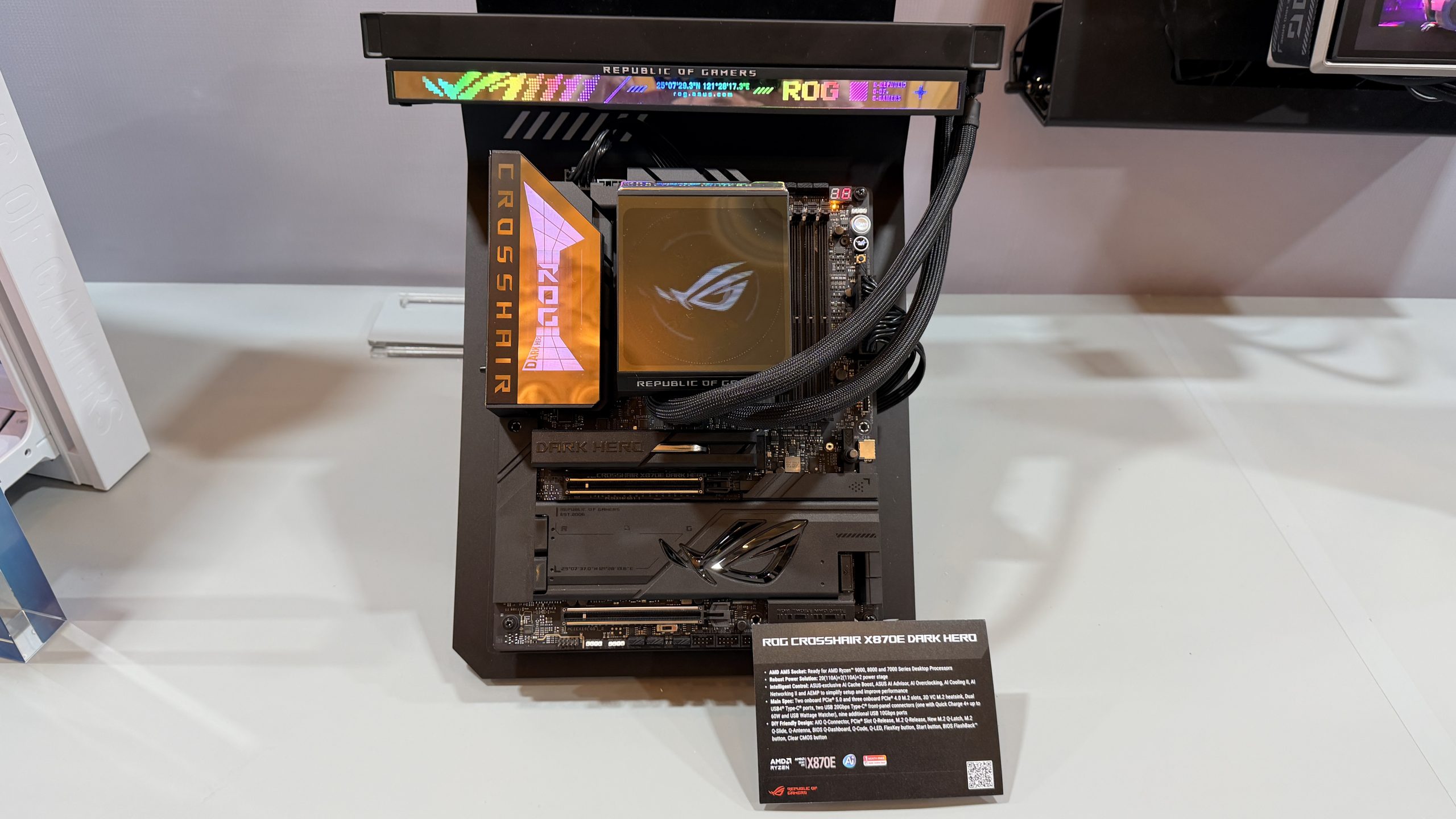
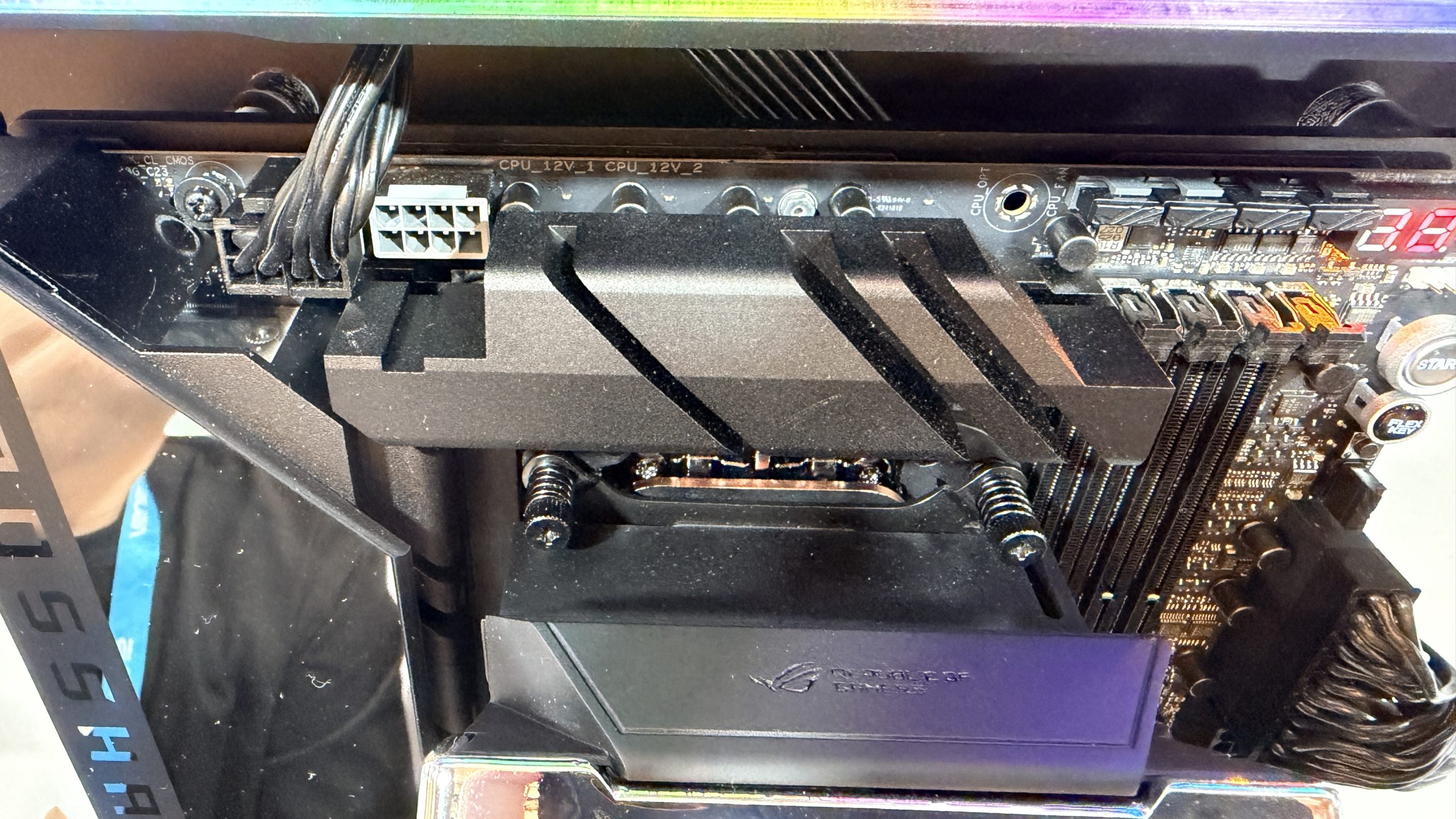
Within the motherboard industry, there is also a growing belief that next-generation platforms could unlock 5–15% gaming performance gains, depending on workload and configuration. This is not positioned as a guarantee, but as a byproduct of improved signal integrity, memory routing and platform optimisation rather than dramatic architectural shifts. All of which could be pretty useful as we head into a year where gamers might need to step back slightly on graphics card and system memory options.

Connectivity and segmentation
Networking is another area where ASUS differentiates clearly between the two boards. The Glacial integrates dual Realtek 10Gb Ethernet, while the Dark Hero combines 10Gb and 5Gb Ethernet, with both boards featuring on-board WiFi 7 (802.11be) and ASUS' WiFi Q-Antenna system. 

Thermal engineering as a motherboard feature
Thermal design is treated as a first-class concern. Both boards use large, integrated heatsinks tied into the I/O shroud, linked by heatpipes and high-conductivity thermal pads. One PCIe 5.0 M.2 slot benefits from ASUS' 3D vapour chamber M.2 heatsink, explicitly designed to cope with the heat output of next-generation storage. With PCI-Express Gen 6 on the horizon, we will need to get used to active cooling for SSDs as being a standard topic of discussion. 

Memory cooling is also integrated into the control logic via ROG Memory Q-Fan, reinforcing the idea that modern motherboards are now active thermal managers rather than passive backplanes.

The NEO refresh
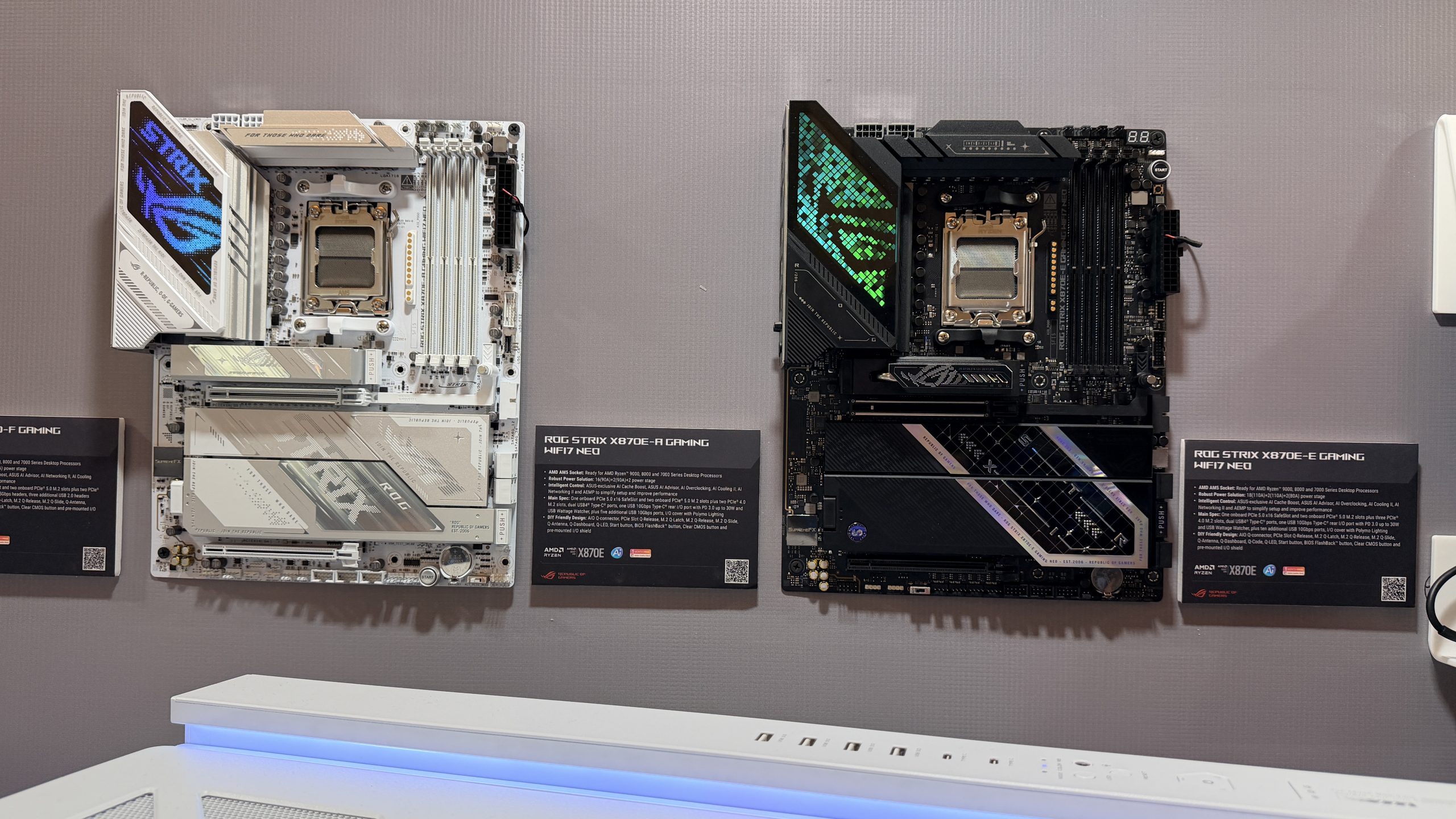
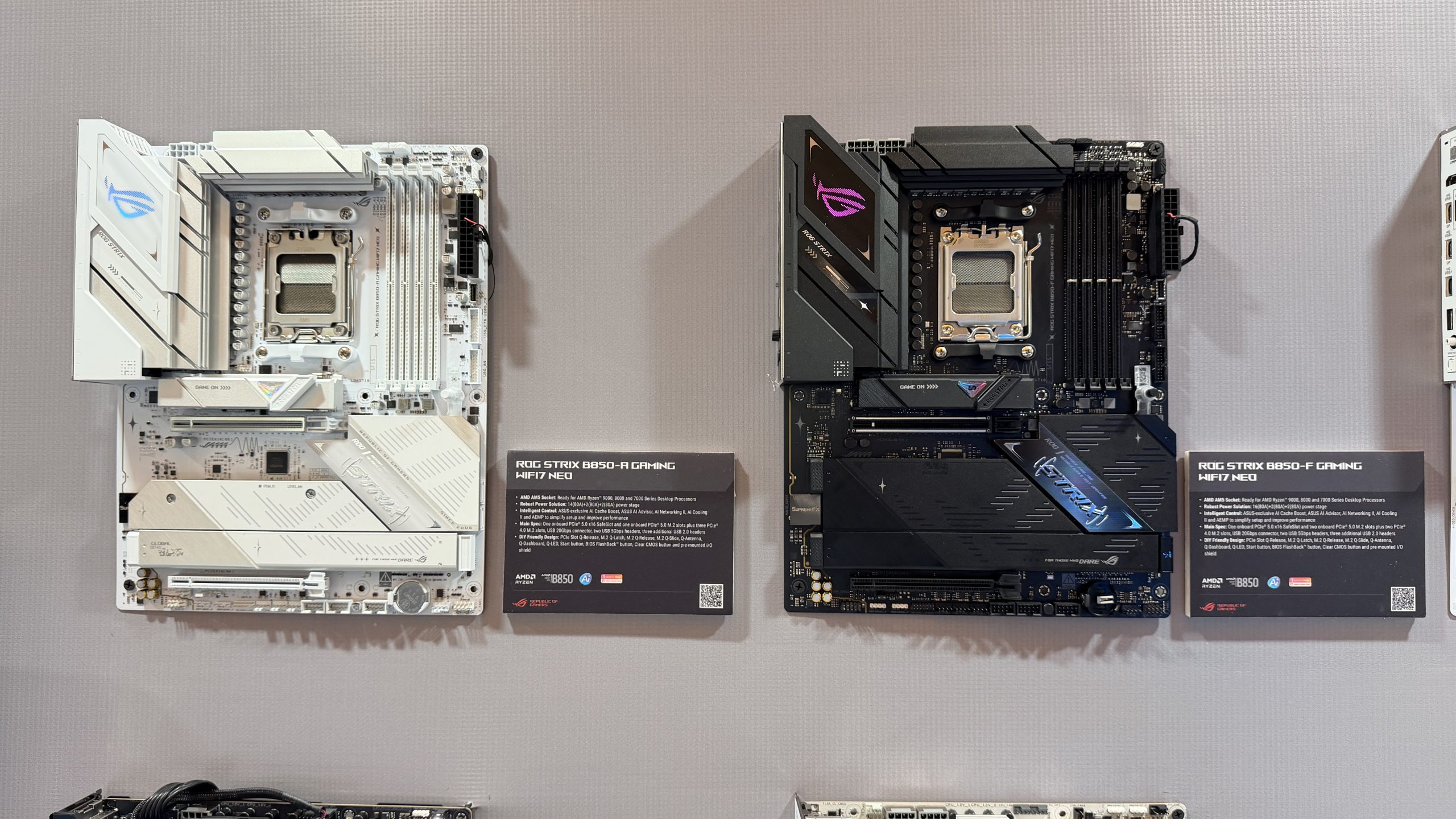
Sitting beneath the Crosshair flagships and more affordable for the masses, is the refreshed ROG Strix NEO series, covering X870E and B850 models. ASUS describes this as more than a cosmetic update. A redesigned memory routing architecture using via-in-pad routing and improved impedance continuity enables ASUS to quote much faster overclocked memory speeds. 

We were shown ‘ASUS internal figures’ – and KitGuru will look to validate them independently once hardware is available. The more important takeaway is that memory stability and compatibility appear to be the primary goal, rather than chasing record-setting frequencies. 

Additional platform changes include asynchronous clocking, expanded M.2 support while maintaining PCIe 5.0 x16 GPU bandwidth, and a renewed BIOS interface. ASUS has also introduced ASUS MB Manager, initially on the NEO series, to separate motherboard-level RGB and system control from the broader Armoury Crate ecosystem. 

ASUS ExpertCenter Pro ET900N G3
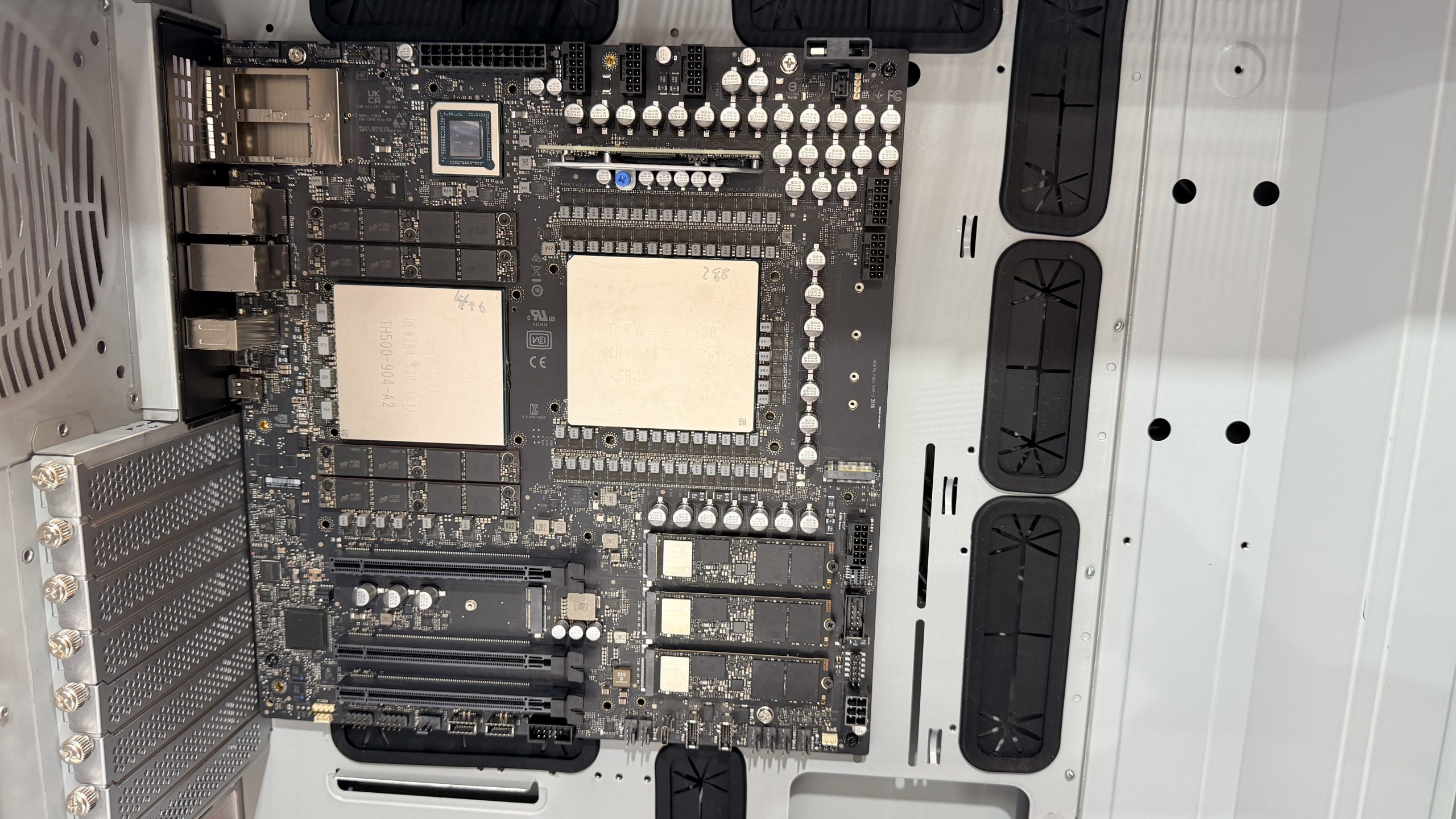
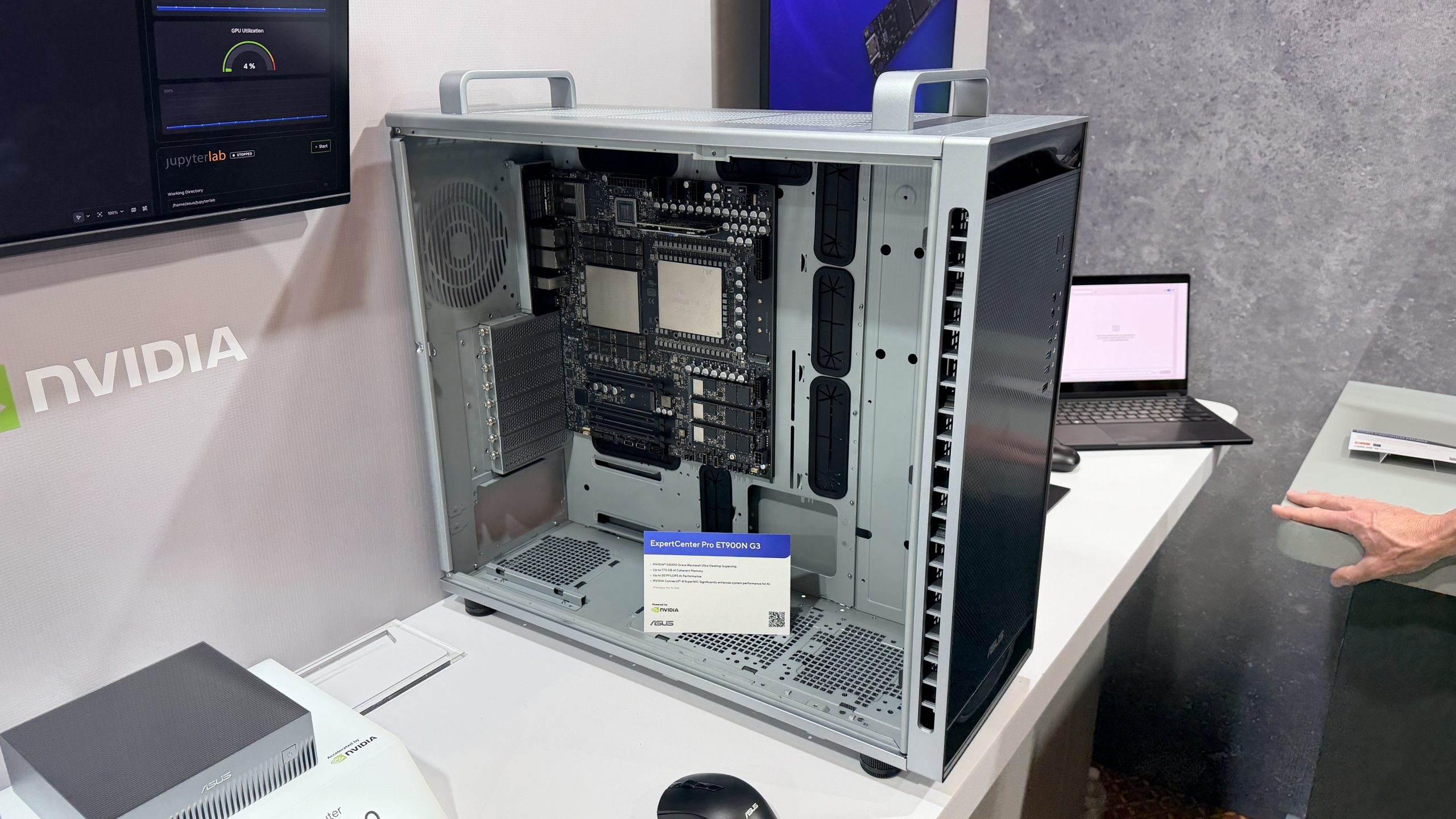
The most striking system shown during the tour was arguably the ASUS ExpertCenter Pro ET900N G3. This is a desktop form factor AI supercomputer built around NVIDIA Grace and Blackwell technologies. 

ASUS positions the ET900N G3 as a bridge between traditional workstations and rack-mounted server infrastructure. According to figures provided by ASUS, the system offers higher PFLOPS compute capability than a four-GPU NVIDIA HGX H200 SXM system, based on FP8 model performance comparisons. The figures shown are claims by ASUS. We expect that real-world performance will depend on workload and configuration. 

The rationale behind the creation of the ET900N G3 becomes clearer when viewed against industry pricing. HGX H200 SXM systems are widely understood to cost hundreds of thousands of dollars once GPUs, chassis, networking, power and cooling infrastructure are accounted for. By contrast, ET900N G3 is designed to deliver serious AI compute in environments that cannot justify data-centre-scale deployments. 

Features such as ConnectX-8 SuperNICs, QSFP 400G networking, and Multi-Instance GPU (MIG) support reinforce that this is not a consumer product, but a workstation-class tool aimed at research, enterprise AI, and edge compute scenarios. 
Thermal Solutions: ROG Ryuo and Strix LC IV 

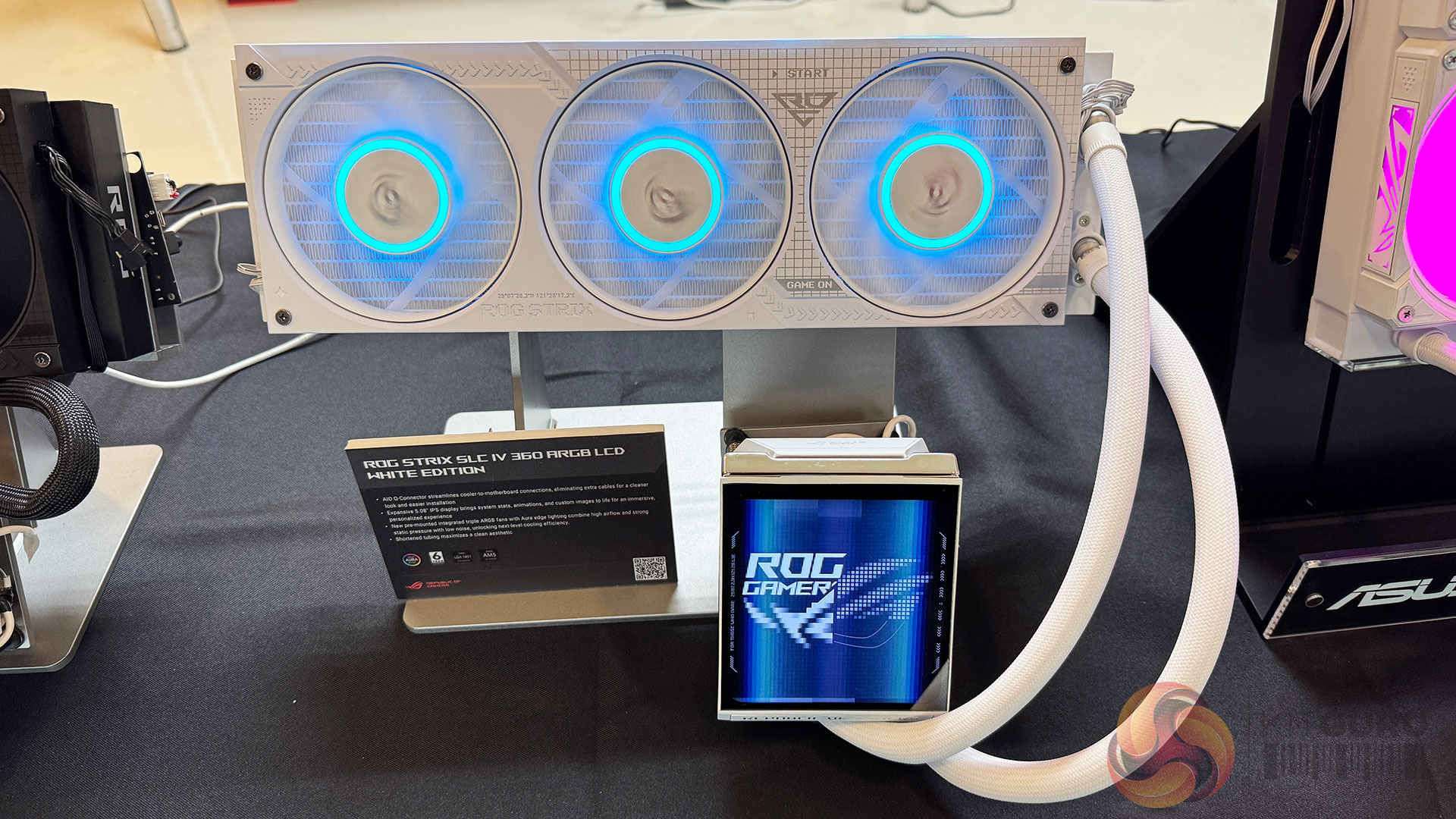
As CPU power draw begins to rise again, ASUS is also evolving its cooling ecosystem. The ROG Ryuo IV and introduces Asetek Emma Gen8 V2 pumps, with the Ryuo IV and ROG Strix SLC/LC IV AIO coolers benefiting from updated cold plates and an emphasis on installation simplicity. 

A notable design change is the AIO Q-Connector, which consolidates cabling between the cooler and compatible ASUS motherboards into a single connection. While this reduces cable clutter and simplifies builds, it also reinforces a clever ecosystem lock-in, which is a trade-off that ASUS appears willing to make in pursuit of cleaner system design. 

The integrated 5.08-inch IPS LCD, running at 720 × 720 and 60Hz, is positioned less as a novelty and more as a system monitoring surface, capable of displaying thermals, fan speeds and custom visuals. We did ask about future models with much higher refresh rates on bigger screens, but were told (with a smile) that 5” and 60Hz was probably all that was needed. 
Graphics: ASUS ProArt GeForce RTX 5090 32GB GDDR7 OC Edition 

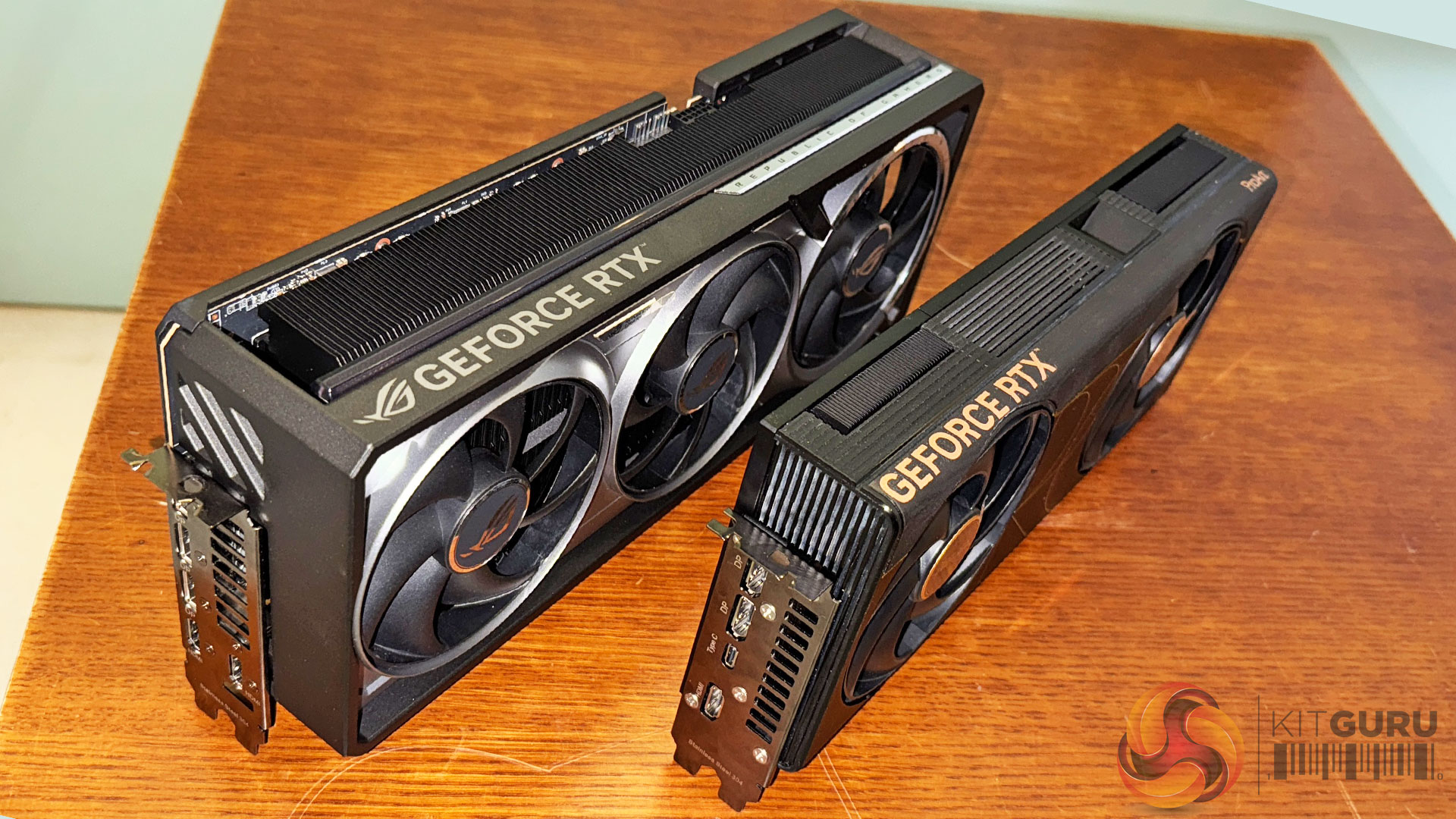
Last year, ASUS demonstrated the ROG Astral RTX 5090, a physically enormous statement GPU. The ProArt RTX 5090 shown this year, is effectively the counterpoint. All of the important hardware in a much smaller package. 

According to ASUS, the ProArt card occupies roughly a quarter of the volume of the largest Astral designs (see below), while remaining SFF-ready in a 2.5-slot form factor. This immediately broadens its appeal to professional workstations, compact builds and creator systems – where physical space and airflow matter as much as raw performance. 

Cooling is handled via liquid metal on the GPU die, a vapour chamber, dual Axial-tech fans and a double-vented backplate designed to actively exhaust heat rather than trap it within the chassis. ASUS also highlights USB-C output support and ProArt-specific software tuning for professional workflows. 

ASUS claims performance parity with flagship RTX 5090 silicon while maintaining acoustics and thermals suitable for sustained workloads. As always, KitGuru will be looking to validate those claims through independent testing.  
Chassis and Airflow: ROG Cronox and Eurux GR120 

The final piece of the system puzzle is airflow and enclosure design, and this is where ASUS' BTF (Hidden Connector) strategy becomes most visible. 

ROG Cronox PC Case
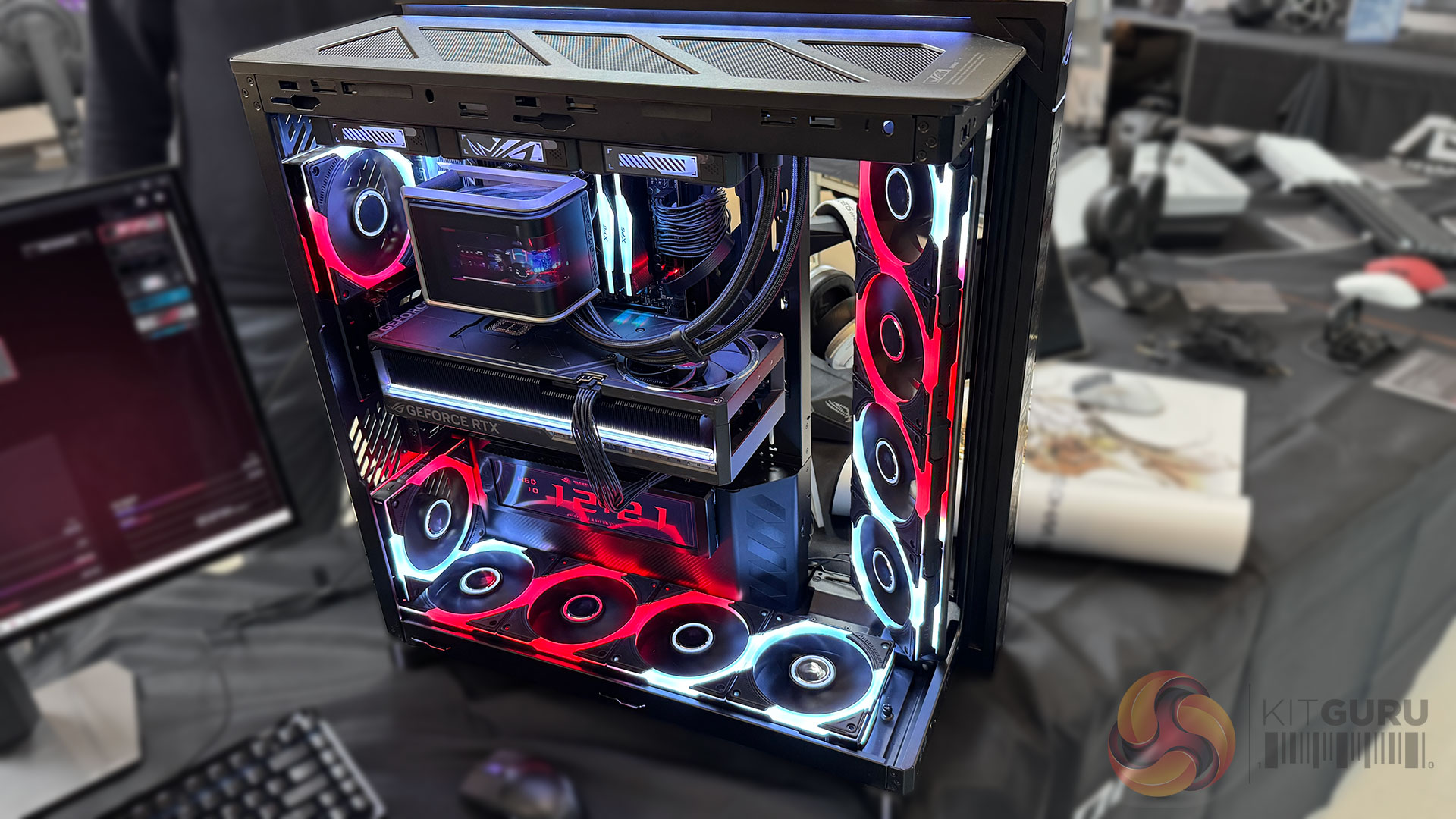
The ROG Cronox is a large, airflow-focused chassis that will be sold separately. It features an aluminium-trimmed structural frame, a tool-free curved glass side panel, and support for up to 14 × 120 mm fans. 

Cooling support includes dual 360mm radiators, GPUs up to 400mm in length, and CPU coolers up to 180mm tall. A patented rotatable side fan bracket allows airflow to be redirected at a 45-degree angle, prioritising either cooling efficiency or system visibility depending on the build. 

A built-in 9.2-inch LCD panel (1920 × 420, 400 nits, 60Hz) provides system monitoring and visual customisation, reinforcing the theme of integrated, system-level control rather than bolt-on accessories.
BTF integration
The chassis briefing delivered by ASUS, also revealed the Hero BTF version of the new X870E Crosshair motherboards and a ROG Astral GeForce RTX 5090 BTF Edition graphics card. While not every build will adopt BTF, it provides a clean link between motherboard design, GPU layout, and chassis airflow, reducing visible cables and improving internal airflow paths. 

ROG Eurux GR120 ARGB fan
Completing the airflow story is the ROG Eurux GR120 ARGB fan, featuring LCP fan blades, CNC-milled brass bearing shells, and ASUS-quoted performance figures of 91 CFM airflow, 4.6mmH₂O static pressure, and 33 dB(A) noise levels at up to 2600 RPM. 

Figures shows are ASUS claims but, on paper, they position the GR120 as a fan capable of handling dense radiator and chassis scenarios, particularly when paired with the Cronox case and BTF-style builds. It will be interesting to see if we can achieve the same cooling standards as ASUS claim with this kind of set-up. 

KitGuru Says: Taken individually, each of these products serves a specific audience. Viewed together, they form a coherent picture of where ASUS believes high-performance systems are heading: Higher sustained power, tighter thermal budgets, cleaner physical layouts and platforms engineered as complete ecosystems rather than collections of parts. Many of the figures quoted here come directly from ASUS briefings, and KitGuru will be looking to see how those claims translate into real-world performance once hardware becomes available. 

The post CES 2026: ASUS opens door for next-gen, high-performance systems first appeared on KitGuru.
Reçu hier — 6 janvier 2026 1.3 🖥️ Tech. English

Asus reveals next-gen displays, new gaming peripherals and WiFi 8 devices

6 janvier 2026 à 18:30

Ahead of CES, members of the European Hardware Association, including KitGuru, were invited to Asus HQ to get an early look at upcoming gaming hardware. Here, we take you through Asus ROG's next-generation gaming monitors, as well as new peripherals and WiFi 8 devices. 

Visual output and immersion

ASUS framed its 2026 display line-up as a series of portfolios, rather than a set of isolated products. Gaming and professional are well understood market segments, but there is now increased emphasis on ‘prosumer’ products that bridge the gap.Across all markets, ASUS is clearly trying to address clarity, brightness control and long-term usability.

A key technical change highlighted early in our tour of the company’s new products was the shift to a new RGB stripe pixel layout in next-generation OLED panels. ASUS stressed that this change is central to improving text clarity and colour precision as well as overall image stability, particularly at higher brightness levels. Alongside this, ASUS is using its own BlackShield film-coating technology to improve perceived black levels and reduce glare by up to 40%. Hardness is also increased for 2.5x more scratch resistance. This enhancement for the ROG Swift OLED PG34WCDN certainly adds to the premium look/feel of this screen.

At the gaming end of the spectrum we have the ROG Swift OLED PG27UCWM (Tandem RGB OLED) and PG34WCDN (RGB QD-OLED). ASUS claims higher sustained brightness, improved colour volume (PG27UCWM) & refresh rates designed to match next-generation GPUs, with DisplayPort 2.1a support positioned as an important part of future-proofing.

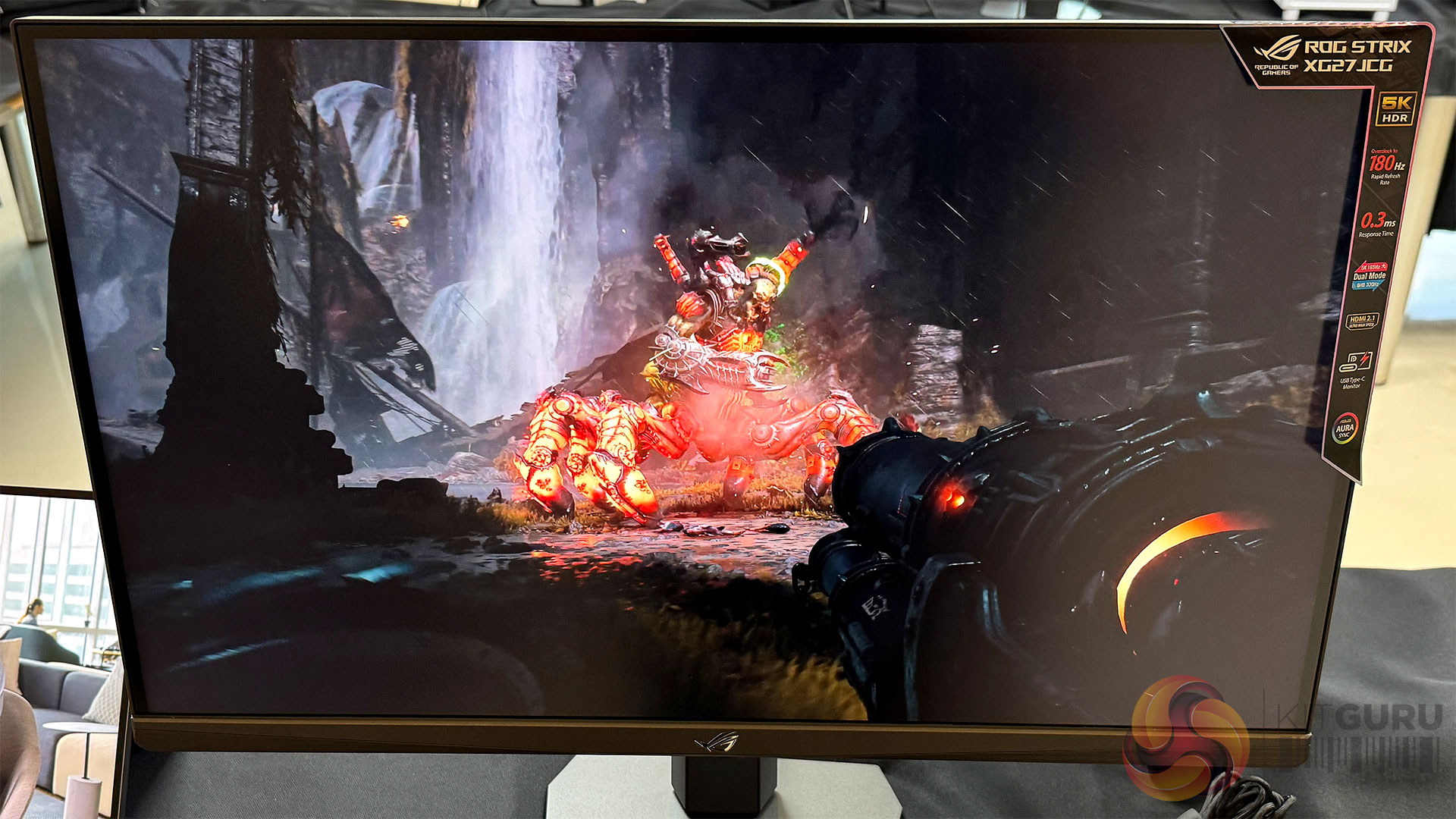
The ROG Strix 5K XG27JCG pushes resolution and refresh rate simultaneously. This 5K screen uses a fast IPS panel with a 0.3ms G2G response and 218 PPI density, guaranteeing that you won’t see any pixels from a normal seated distance. Other nice features included DisplayWidget Center, AI gaming AI features like Dynamic Crosshair, Dynamic Shadow Boost and AI Visual. This screen will initially list close to £699. The Dual Mode feature allows for effortless switching between immersive 5K at 180Hz for cinematic adventures and lightning-fast QHD (2560 x 1440) at 330Hz for peak performance.

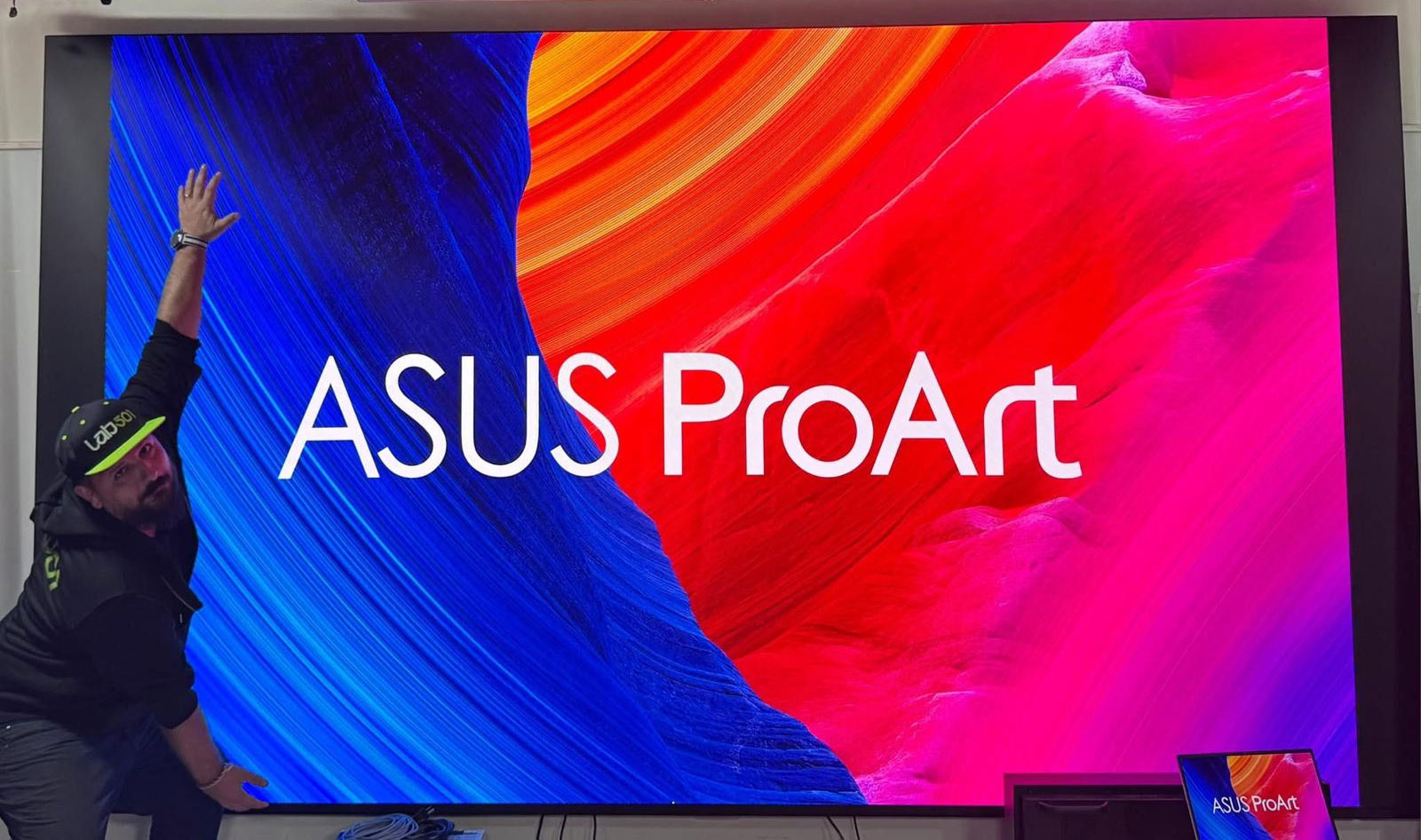
ASUS also presented a timeline of gaming monitor evolution, showing how OLED and high refresh rates have converged over recent years. Extending that timeline further into the future, ASUS demonstrated something very different during the tour – for which we were taken to a secured area on another floor. The product being guarded was the ProArt Cinema PQ09. This is a 162-inch Micro LED display with a 4K 10-bit panel, 0.93mm pixel pitch, 1,200 nits peak brightness, a claimed 1,000,000:1 contrast ratio and 99 percent DCI-P3 coverage with Delta E below 2. To help you get a sense of the true size of this monitor, we enlisted the help  (and wing span) of Tudor from Lab501. With an indicated price of around $160,000, this is obviously not a ‘general consumer product’ right now, and it is unlikely to be appearing in everyday gaming setups any time soon. That said, it serves as a useful reference point for where display technology is heading, and it underlines how much headroom still exists beyond today’s OLED panels.  

ASUS is also continuing to explore alternative ways to experience large-format displays. The ROG XREAL R1 AR gaming glasses aim to deliver a perceived screen size of up to 171” with refresh rates peaking as high as 240Hz. ASUS acknowledges that adoption of wearable displays remains uncertain, but the technical ambition is clear. Certainly if you need a large desktop are on a plane or train, then your traditional LED options will be limited – so the ROG gaming glasses could make sense for certain categories of user.

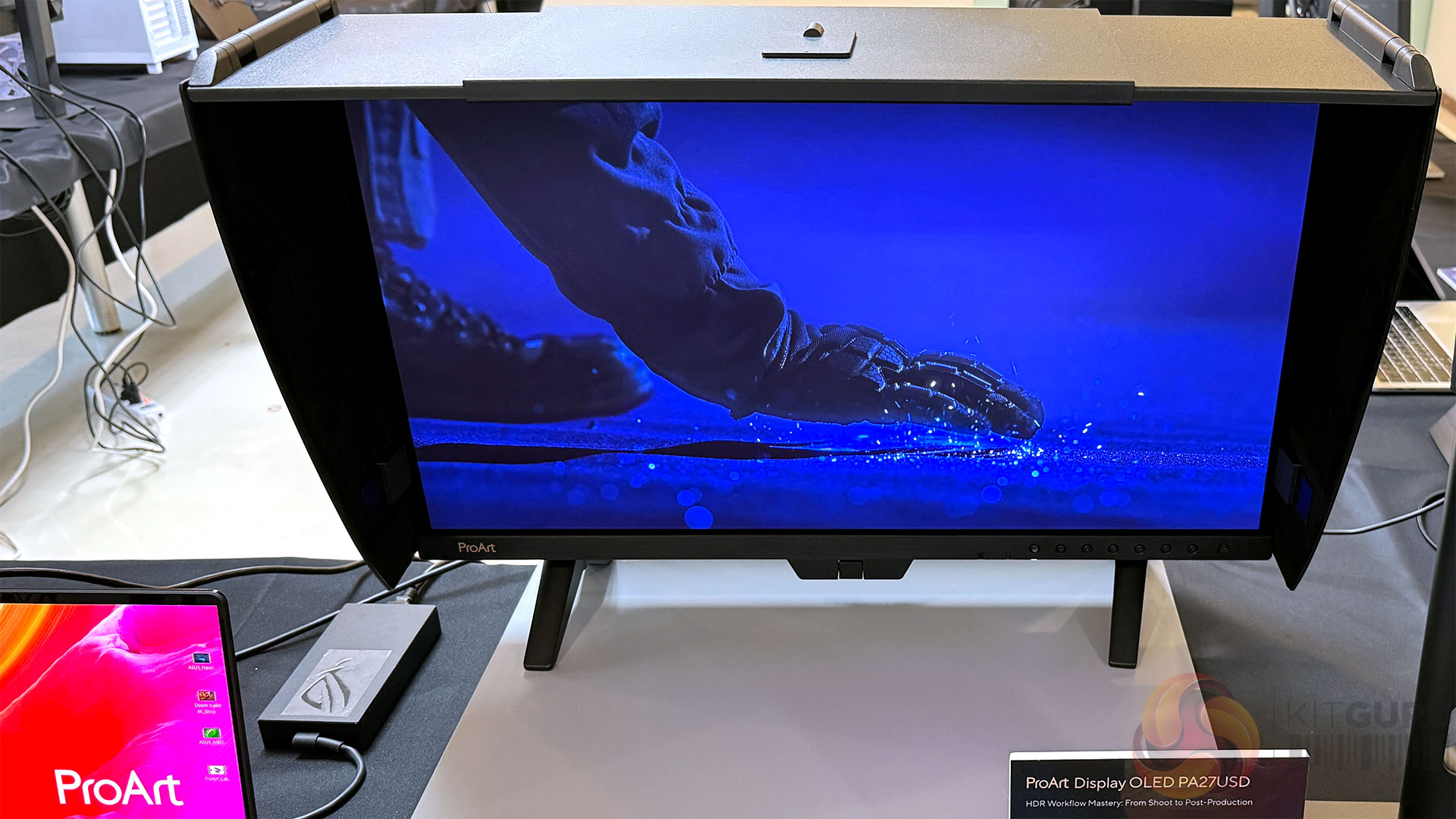
At the professional end of the spectrum, ASUS highlighted a deliberate strategy of pushing flagship ProArt products further upmarket while simultaneously broadening access for creators and prosumers. Displays such as the ProArt Display OLED PA27USD and PA32UCDMR-K are designed for users who have outgrown basic office monitors, but who don’t necessarily operate in full studio environments.

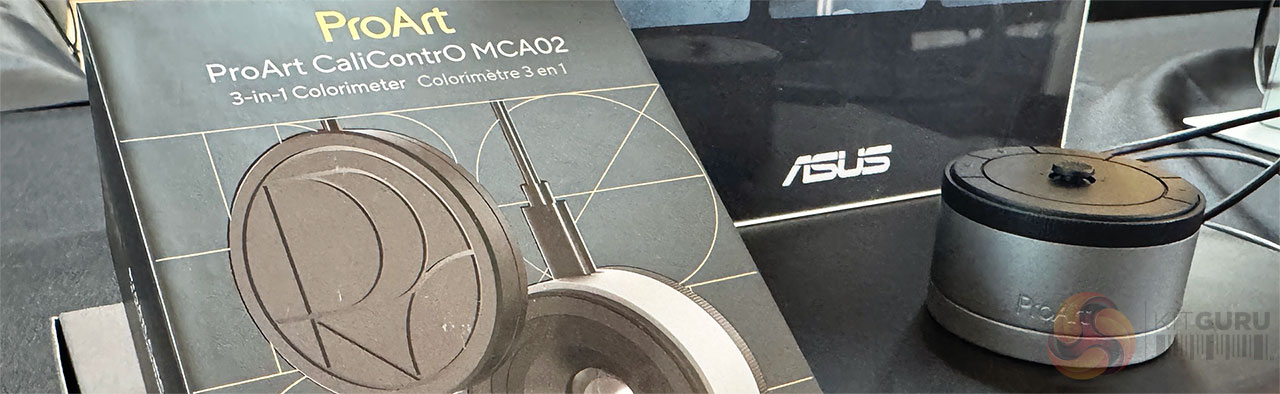
ASUS cited growing demand from content creators and hybrid professionals who need accurate colour, higher brightness and modern connectivity without stepping into prohibitively expensive territory. ASUS insists that its ProArt screens have been targeted at professional creators. As such, thePA32UCDMR-K is Calman Ready with ColourSpace integrated and is supplied with a monitor hood – as well as the latest version of ASUS' Colorimeter, the MCA02.

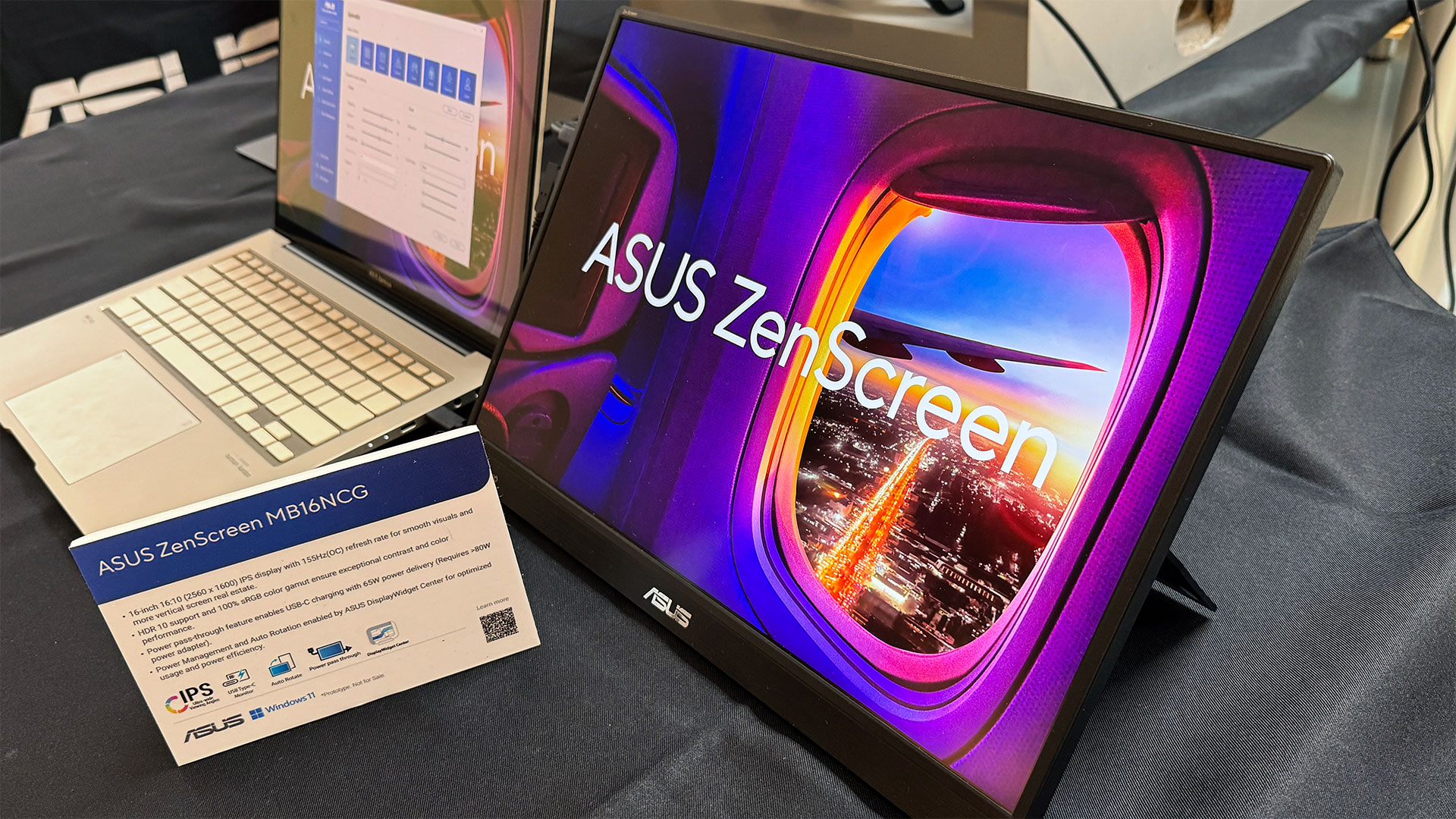
Finally, ASUS briefly covered more consumer-oriented and portable displays, including the ZenScreen OLED MQ16FC and ZenScreen MB16NCG. While these products sit slightly outside KitGuru’s core focus, the USB Type-C connectivity, power pass through, 100% sRGB high refresh rates and sub-1kg weight of 16” (16:10 ratio) models like the MB16NCG, make them genuinely interesting as laptop companions for travel and flexible work setups.

Networking and routers

Networking was presented as one of the most misunderstood performance bottlenecks in modern systems. ASUS was keen to emphasise that WiFi-7 is not obsolete, nor is it a failed standard. In fact, ASUS positions WiFi-7 as very much ‘now’, with meaningful improvements over WiFi-6 when implemented properly.

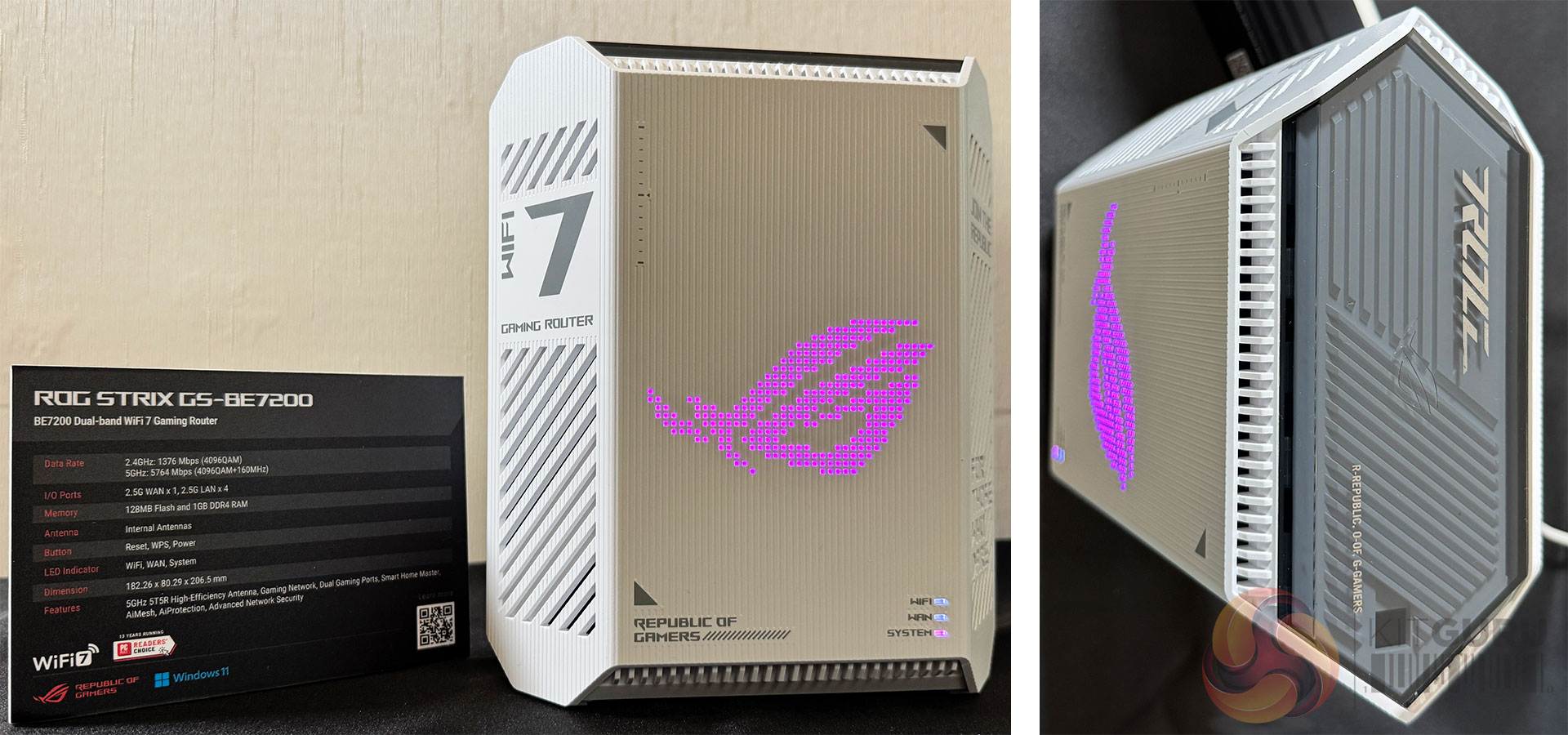
Products such as the ROG Strix GS-BE7200 were used to demonstrate what a well-executed WiFi-7 router can deliver today, including improved 5GHz performance at range, better handling of DFS channels and more consistent throughput in real homes. ASUS claims up to 15 percent better 5GHz performance compared to previous designs (5GHz 4T4R), though as with all such figures, real-world results will depend on environment and client devices.

At the same time, ASUS acknowledged that WiFi-7 adoption has been slower than expected. One reason is that many users struggled to see a compelling upgrade path from a strong WiFi-6 router to an average WiFi-7 one, particularly when headline speed increases did not always translate into day-to-day improvements. We’ve certainly found gaps between manufacturer’s claimed maximum speeds and our own real-world testing in 3-floor houses built with bricks.

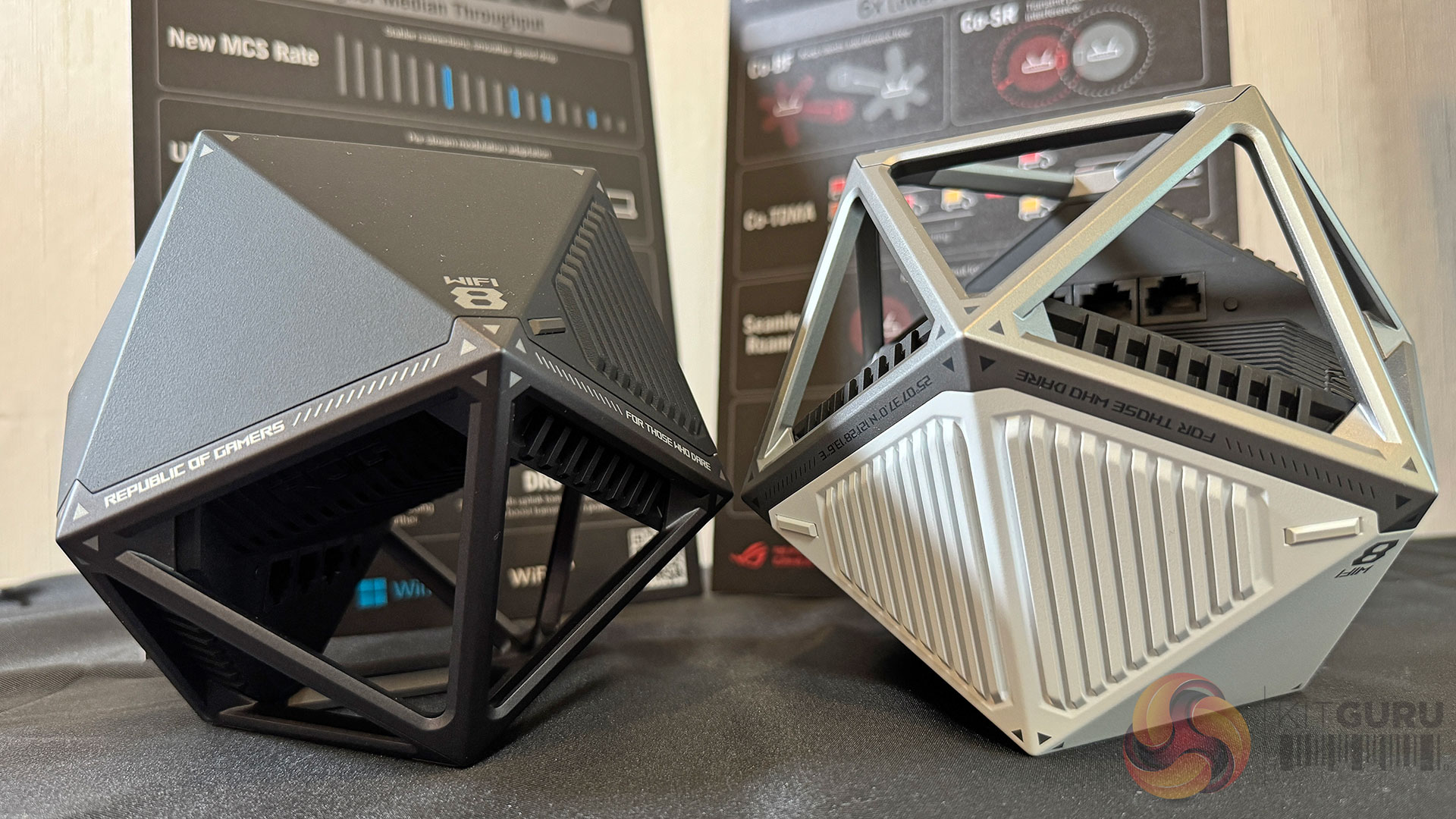
Slides covering WiFi-8 made it clear that ASUS expects early hardware to arrive ahead of 802.11bn standards receiving final ratification. The standard could be finalised around the middle of 2028 – while WiFi-8 hardware could start to ship as early as 2026. Bear in mind that we are talking about WiFi-8 routers and not clients – which will normally follow on a little later. For reference, KitGuru saw its first WiFi-7 dongle at IFA 2025, back in August.

Crucially, ASUS is framing WiFi-8 as a shift in priorities, rather than a simple speed race. Specifically emphasising the move towards aggregate bandwidth, multi-user performance and latency consistency, rather than peak single-device throughput. ASUS claims improvements of up to two times mid-range throughput, two times lower latency, and significantly higher reliability compared to WiFi-7, with a particular focus on more balanced uplink and downlink performance.

ASUS also leaned into the idea that AI-driven optimisation will increasingly sit at the network layer. Many users intuitively expect AI to make complex systems behave better without manual tuning, and ASUS positions WiFi-8 routers as platforms that can intelligently manage traffic based on device behaviour, workload type, and contention, rather than simply pushing more raw bandwidth.

On this Tech Tour, we got to hold WiFi-8 routers that bear more than a passing resemblance to next-gen TIE Fighters from Star Wars.

Alongside consumer and gaming routers, ASUS highlighted its ProArt Creator networking products, including the ProArt Router PRT-BE5000 and ProArt Switch PQG-U1080. These are positioned as practical solutions for creators and small studios who need reliable wired and wireless performance, multi-gigabit connectivity, and simple management, without stepping into full enterprise networking complexity. Moving to an expensive next-gen router at home will be far harder to justify than installing such devices in a video/creator studio environment.

Gaming peripherals

ASUS’ gaming peripherals presentation focused on refinement rather than reinvention. Across keyboards, mice, and headsets, the emphasis was on precision, consistency, and wireless maturity.

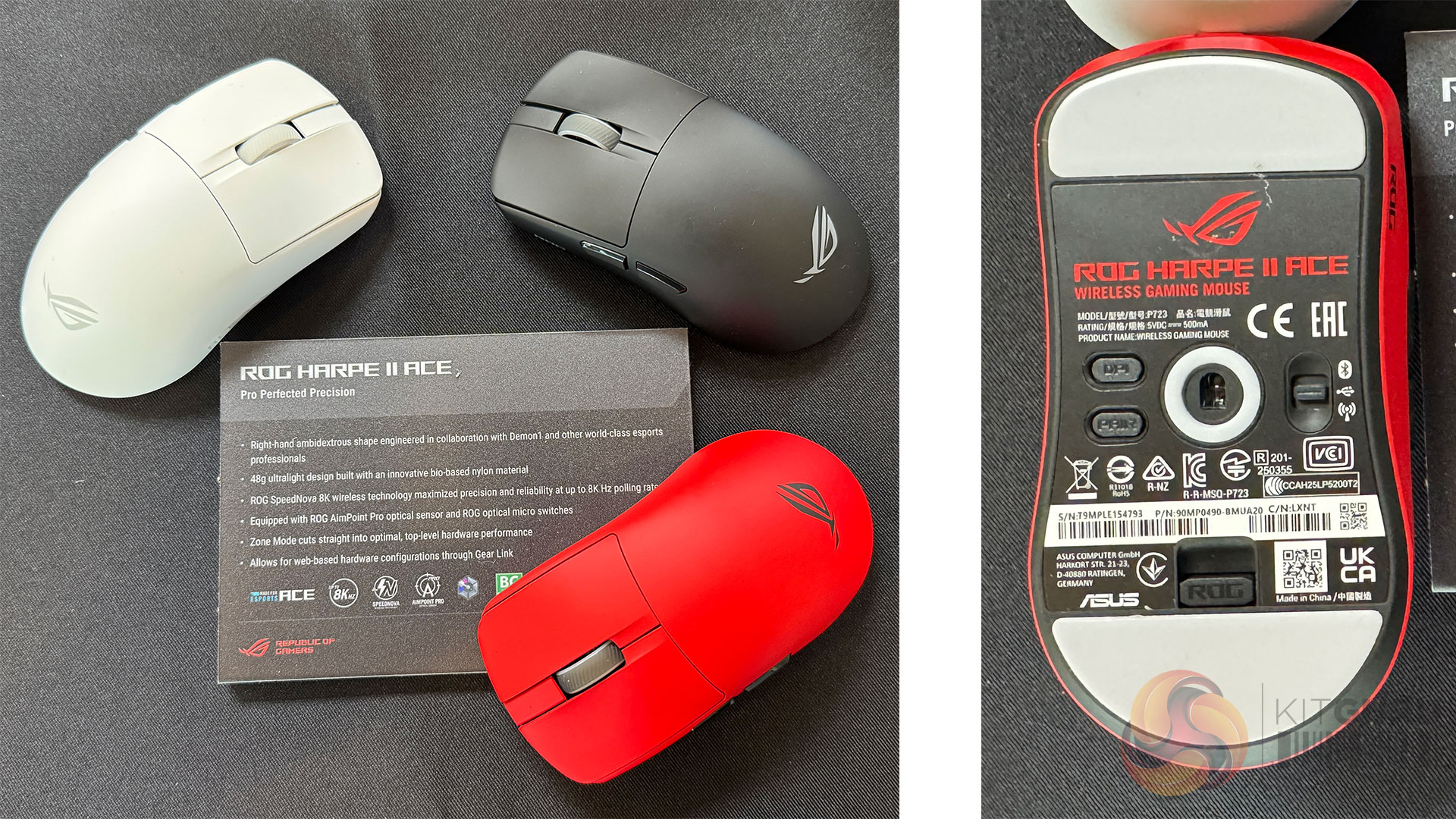
Keyboards such as the ROG Falchion Ace 75 HE, reflect the continued move towards Hall Effect and ROG HFX V2 magnetic switches, with ASUS focusing on actuation consistency and longevity. Similarly, mice like the ROG Harpe II Ace and ROG Keris II Origin build on optical sensors, high polling rates, and shapes informed by esports feedback, where marginal gains are now more about ergonomics and feel than raw specifications. Essentially, physically-lighter mice in cooler colours with faster responses.

Wireless technology is no longer treated as a compromise. ROG’s SpeedNova technology appears across multiple devices, supporting low latency, stable connections, and multi-device setups. In practical terms, wireless input now feels like the default at the high end, rather than an optional convenience. In general, you can choose your own battery life by keeping the RGB disco lights on or off.

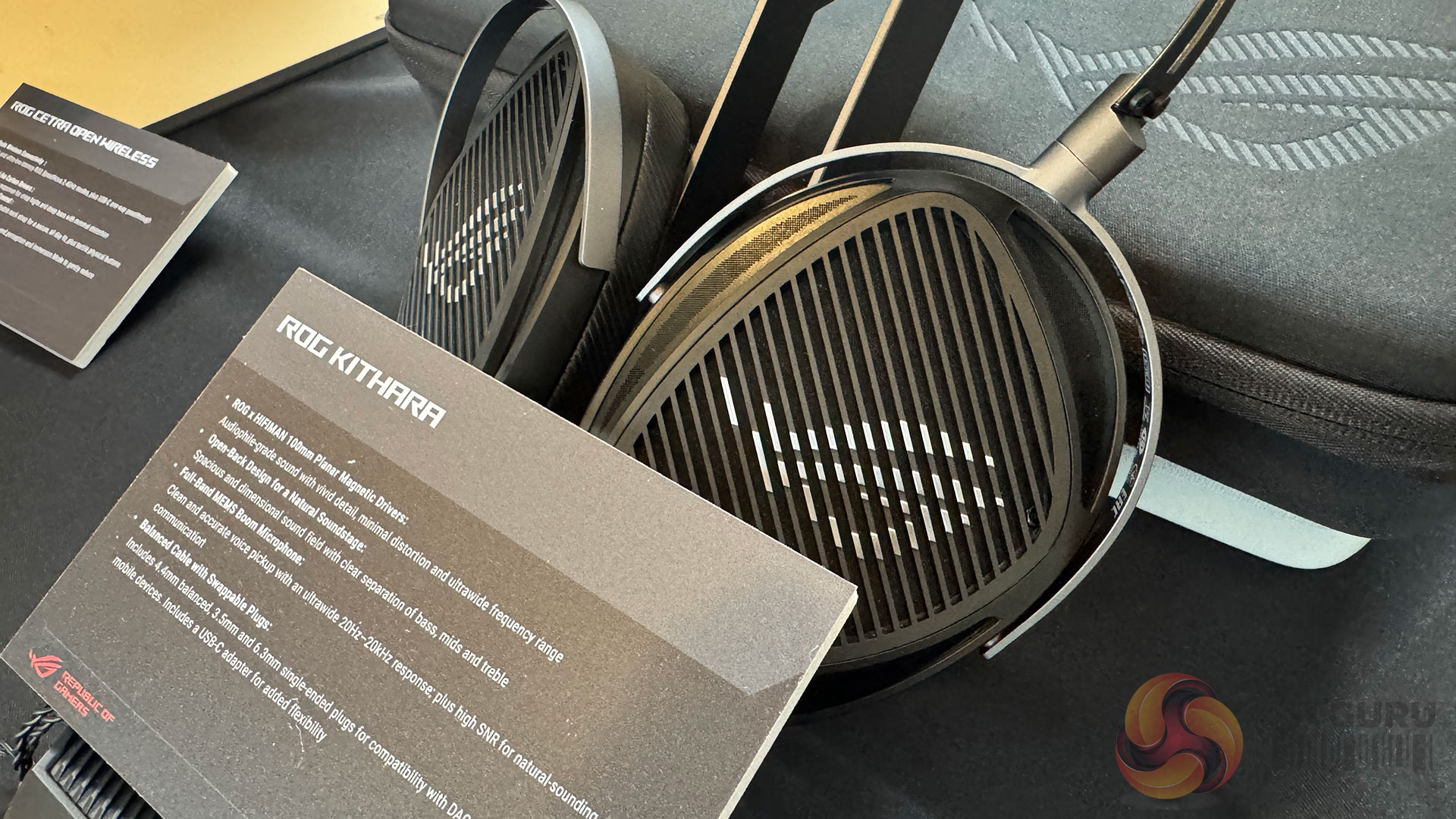
Audio was clearly the centrepiece of the peripherals briefing. The ROG Kithara was positioned as a flagship product, with ASUS indicating an expected price point around $299 at launch. This is not a budget product, but instead aims to deliver high quality audio for those who value mobility as well as audiophile-grade sound. ROG-customised HIFIMAN 100mm planar magnetic drivers deliver lifelike audio with sharp, precise detail. Engineered for competitive play, the Kithara headset features an integrated full-band MEMS microphone for clear in-game communication.

A balanced headphone cable with swappable plugs, along with a USB-C adapter, ensures uncompromised audio fidelity and broad compatibility across a wide range of devices. At this price level, expectations will be high, and independent testing will be essential to determine whether the experience justifies the price.

The KJP series of peripherals was also shown as a design-led extension of the ROG ecosystem, including headset, mouse and mouse pad. While these products are more about aesthetic and brand expression than performance leadership, they sit alongside a broader line-up that remains firmly focused on competitive use.

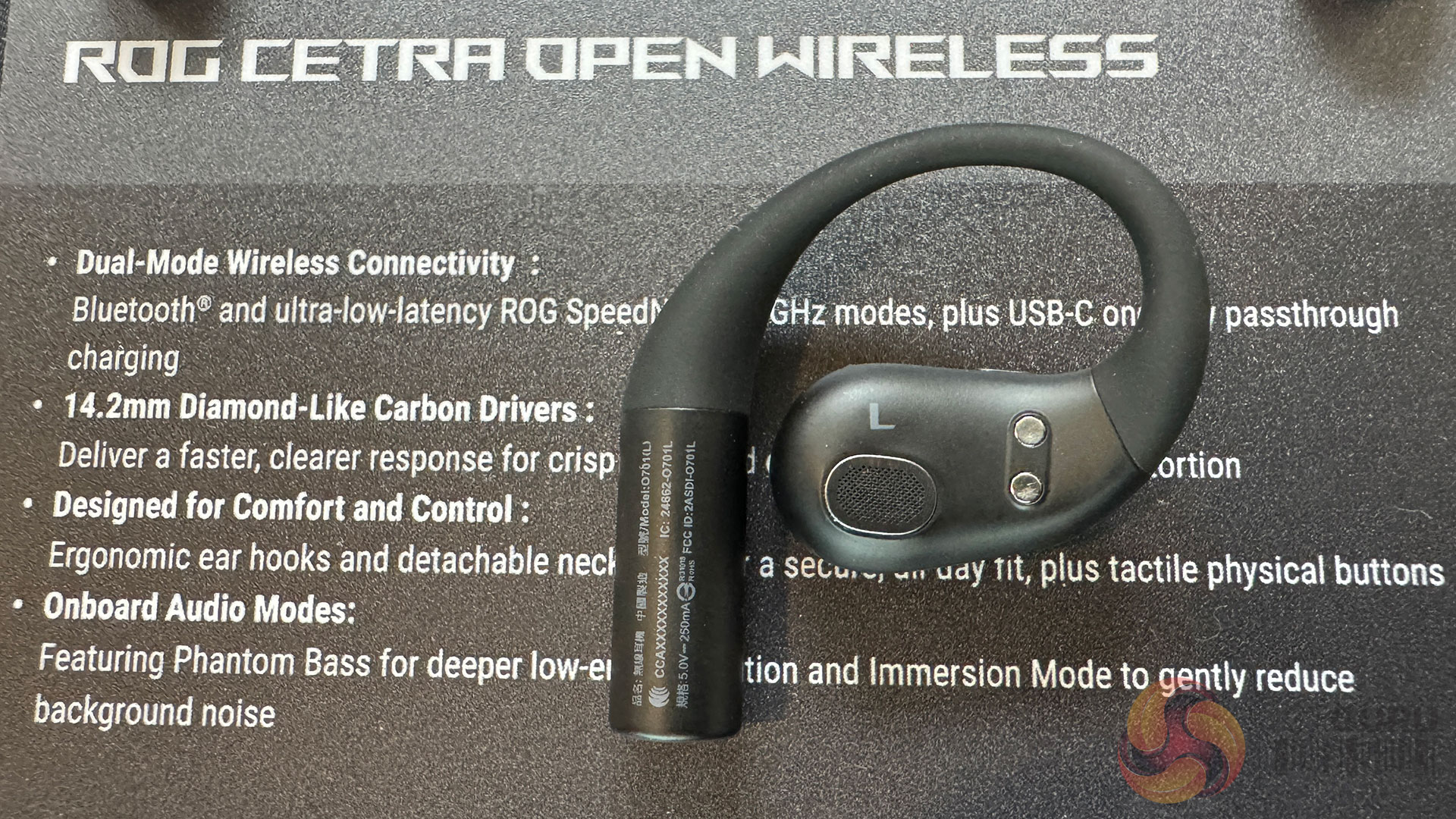
Finally, another neatly-designed audio product comes to market in the form of the ROG Cetra Open Wireless earbuds. In addition to Bluetooth, they offer ultra-low-latency ROG SpeedNova 2.4GHz – as well as USB-C one-way pass-through charging. The 14.2mm diamond-like carbon drivers promise faster, clearer response and, overall, the ‘ergonomic ear hook' design promises comfort should you decide to use them all day. There are tactical/physical buttons to make them easier to adjust – and the Cetra features Phantom Bass for deeper low-end perceived tones – as well as ‘Immersion Mode' to get rid of the noise of the outside world.

Compact compute and NUC systems 

The ASUS NUC and mini PC strategy spans a wide range of use cases, from education and commercial deployments to gaming and AI development. What became clear during the briefing is that not all AI performance figures are created equal. Specifically, there’s a lot of questionable emphasis on TOPS figures at the lower end of the performance scale.

Systems such as the ASUS NUC 16 Pro and ExpertCenter PN55 offer between 55 AI TOPS and 180 platform TOPS of AI performance, depending on configuration. In real-world terms, this level of capability is sufficient for local assistants, transcription, image processing and OS-level features such as Microsoft Copilot+. It could be useful, but it is not transformative compute. At this level, AI performance often feels like a compliance requirement rather than a compelling reason to upgrade, and it is difficult to ignore the influence of platform mandates and co-marketing incentives in shaping these products.

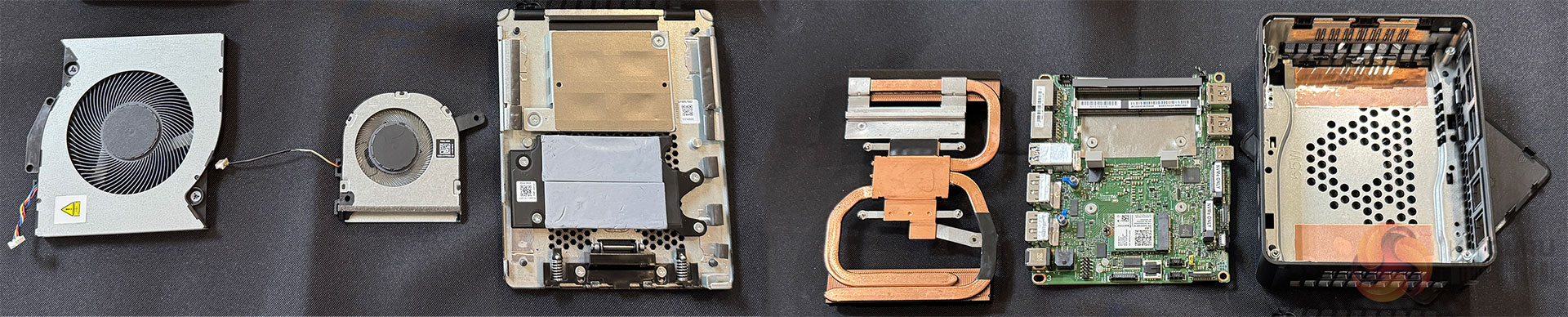
The complexities involved in building modern NUCs is not to be under-estimated. Cooling with longevity, as the components themselves continue to get better, is a challenge. 

That doesn’t make these systems irrelevant. They could definitely make sense for colleges, offices and edge deployment situations where space, power efficiency, manageability and reliability matter more than raw AI throughput. ASUS’ own categorisation of these devices as ‘Everyday AI’ and ‘Next Level AI’ is accurate, rather than hugely overstated. 

The ROG GR70 is where the compact compute story becomes far more convincing. With CPU options up to the AMD Ryzen 9 9955HX3D processor and an NVIDIA GeForce RTX 5070 Laptop GPU in a 3-litre chassis – this is a serious gaming system rather than a marketing exercise. Here, performance will be judged on frame rates, thermals and acoustics. On paper, the specification suggests a genuinely capable compact gaming machine.

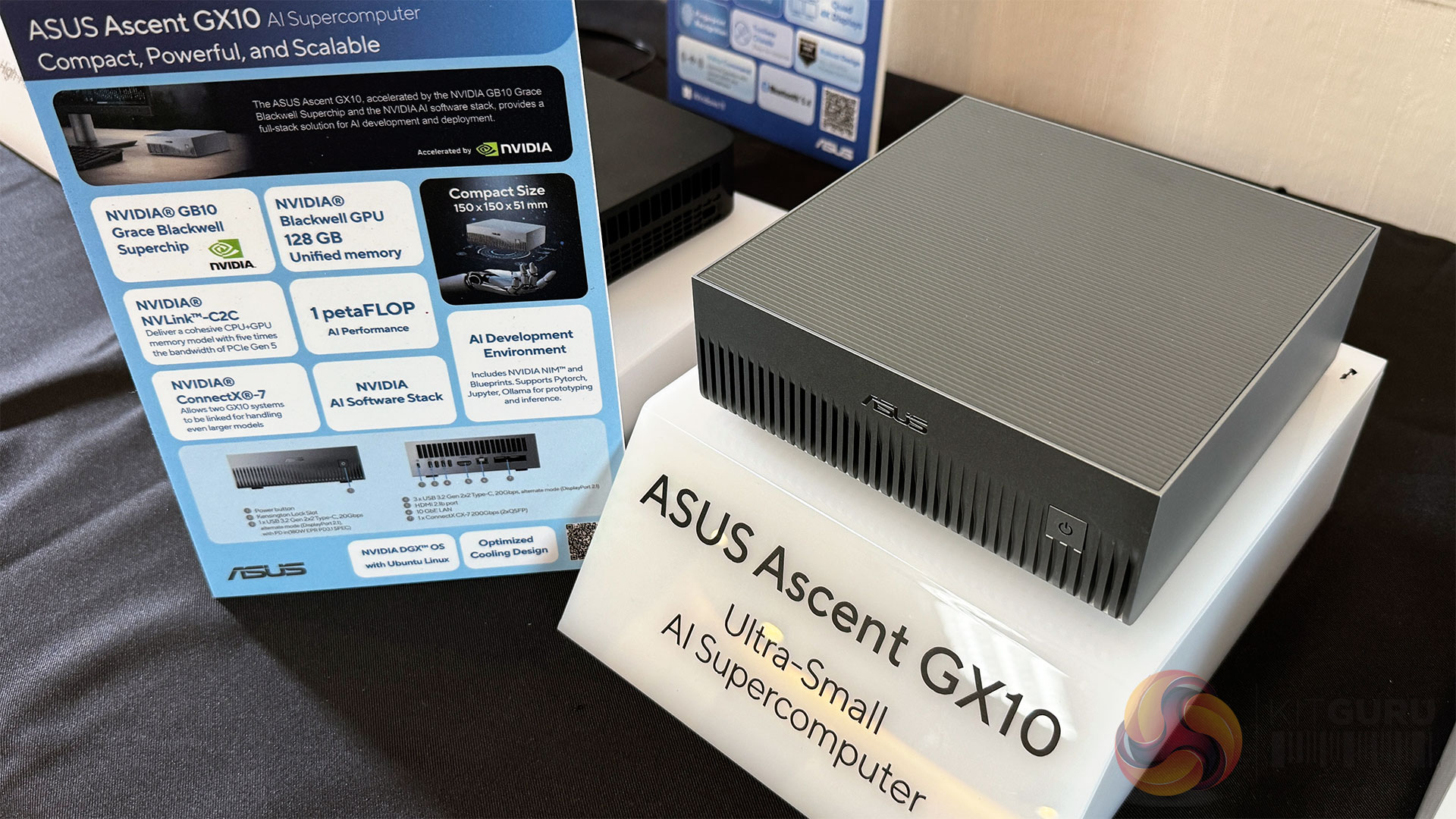
The stand-out product, however, is the ASUS Ascent GX10. With a claimed 1 petaFLOP of AI performance, powered by the NVIDIA GB10 Grace Blackwell Superchip and supported by 128GB of unified memory, this system moves decisively into desktop supercomputer territory.

ASUS claims the GX10 can handle models of up to 200 billion parameters, bringing serious AI development capability into an ultra-compact 150×150×51mm enclosure.

This mirrors the philosophy behind the larger ET900N G3 shown earlier in the tour, but in an even more accessible form. For organisations and developers looking to build, test, and refine AI models locally, offline, or in secure environments, the Ascent GX10 could prove genuinely compelling.

Discuss on our Facebook page, HERE.

KitGuru says: Across displays, networking, peripherals, and compact systems, the ASUS 2026 portfolio reflects a shift towards experience and integration as the primary differentiators. Many of the performance figures discussed here come directly from ASUS briefings, and KitGuru will be looking to validate those claims through independent testing as products become available.

The post Asus reveals next-gen displays, new gaming peripherals and WiFi 8 devices first appeared on KitGuru.
CES 2026: MSI unveils MEG system, AMD MAX motherboards and more

5 janvier 2026 à 19:59

One of the clearest messages from our pre-CES briefing at MSI’s Taipei HQ, is that the company is no longer thinking solely in terms of isolated components. For 2026, the focus is on complete platforms, where motherboard, power delivery, cooling and chassis are designed and engineered as a single system. This is most evident in the MEG range, supported by the introduction of Safeguard+ at the PSU level and a substantially revised AMD MAX motherboard strategy built around X870E.

Rather than chasing peak benchmark numbers in isolation, MSI appears to be targeting stability under sustained load, predictable behaviour when pushed outside default limits and fewer failure points – as next-gen GPUs and CPUs continue to draw more power and operate closer to their electrical limits.

The MEG system: building around the extreme user

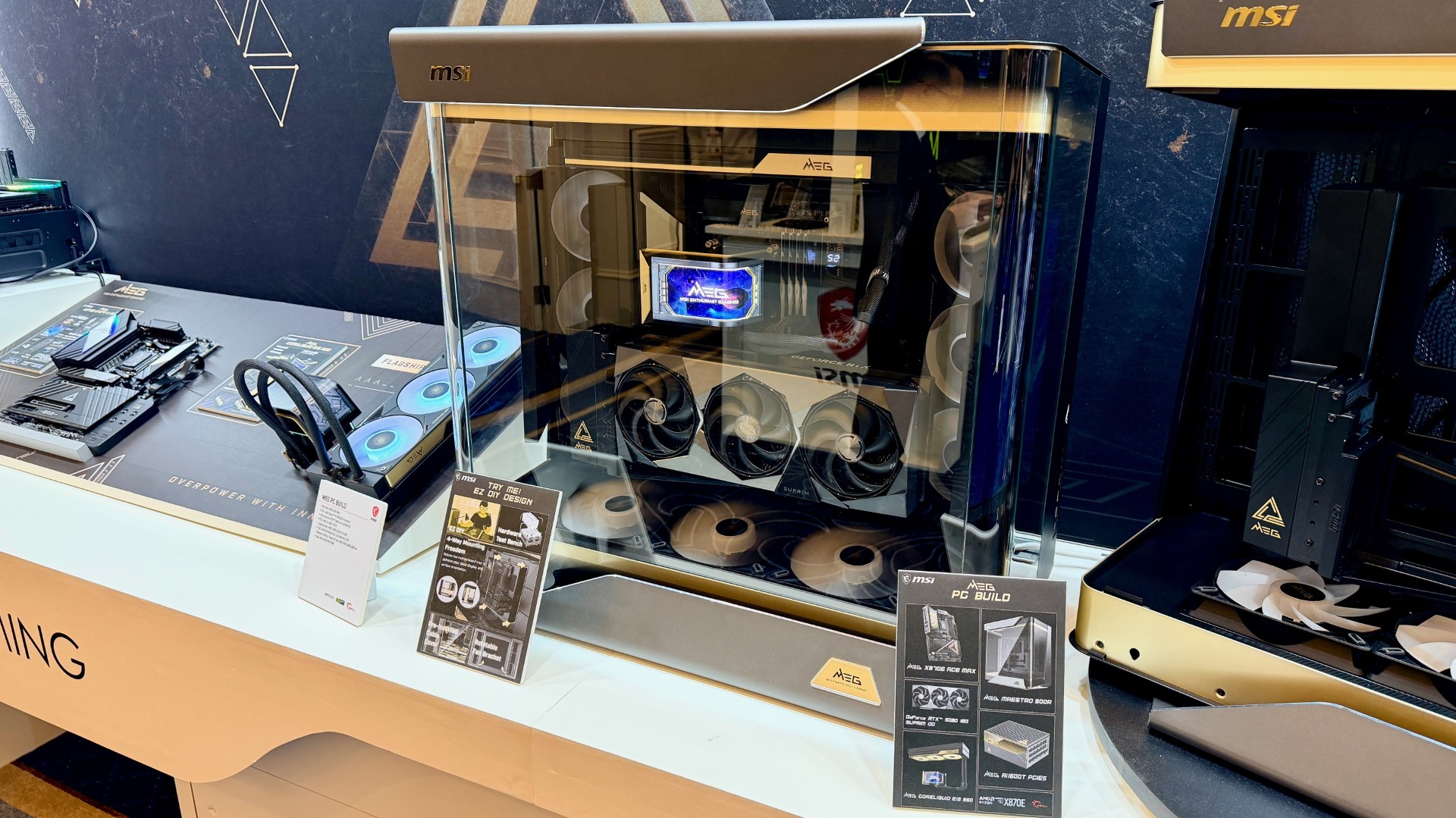
MEG, short for MSI Enthusiast Gaming, sits at the top of MSI’s desktop stack. What’s different with this generation is how tightly the individual MEG components are designed to work together, rather than simply sharing branding.

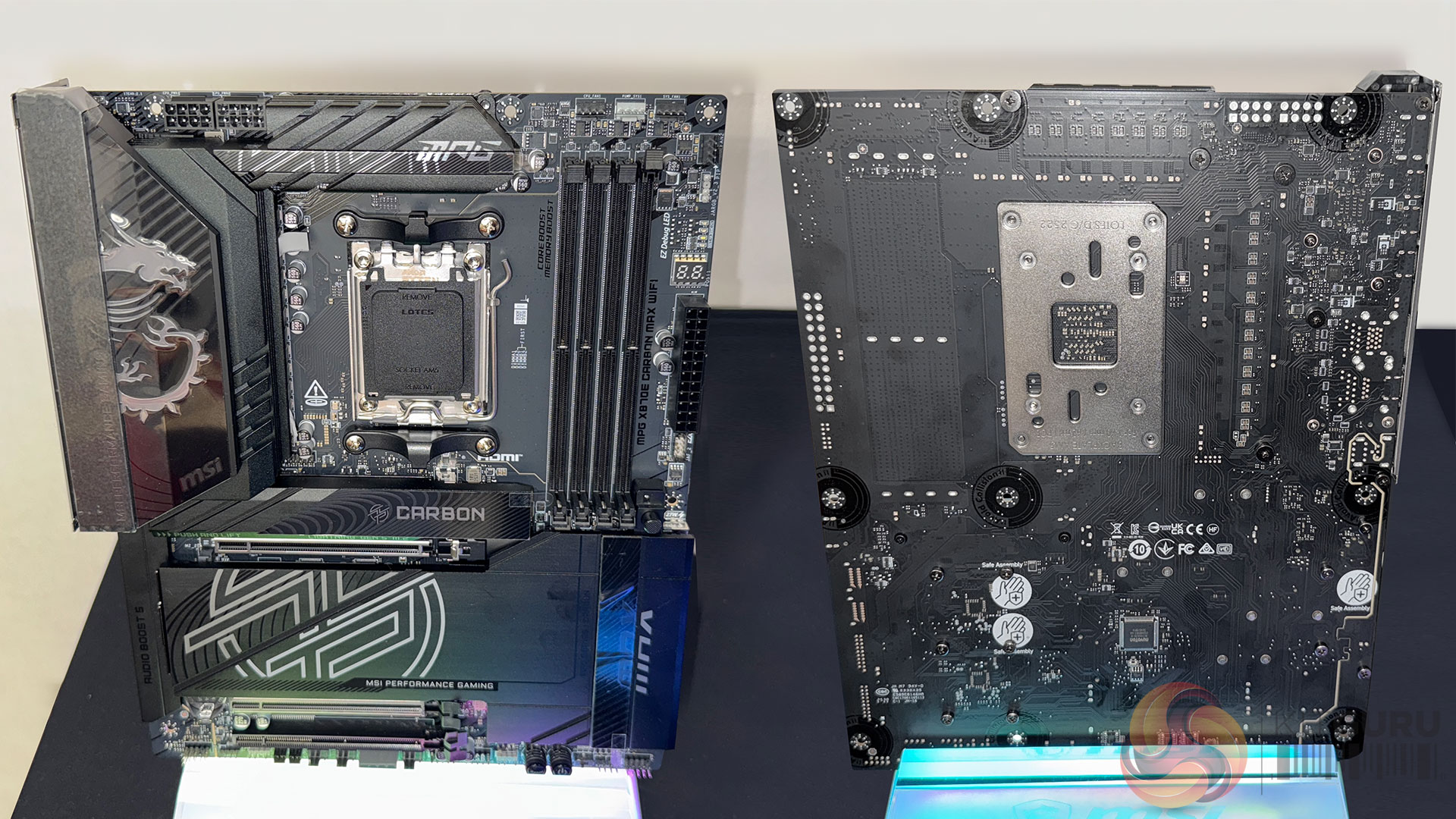
At the centre of the MEG system is the X870E ACE MAX motherboard. It uses an 18+2+1 phase power design with 110A smart power stages, mounted on a high-layer, server-grade PCB with 2oz copper. This is not unusual in isolation, but the way MSI builds around it feels more deliberate than before.

Power delivery and overclocking control
The defining feature across MAX boards is the built-in OC Engine, which decouples base clock control from the rest of the system. Instead of raising BCLK and dragging memory, PCIe and NVMe controllers out of specification, the OC Engine allows fine-grained CPU base clock adjustment while keeping other subsystems within tolerance.

For enthusiasts, the benefit should be more than just theoretical. It looks to enable measurable gains on modern Ryzen CPUs without destabilising storage or I/O (which has traditionally been the limiting factor for BCLK-based tuning). MSI also supports this with the Direct OC Jumper, allowing real-time base clock adjustment from within the operating system, rather than repeated BIOS reboots.

This is paired with a 64MB BIOS ROM across MAX boards, doubling previous capacity. In practice, this allows MSI to retain full CPU support tables, richer firmware features and a less constrained UI, while maintaining forward compatibility as future Ryzen CPUs are introduced.

Thermal design as part of the platform

Thermal management is another area where MSI is treating the motherboard as part of a wider system rather than a standalone product. The Frozr Guard cooling architecture combines wavy-fin heatsinks, cross heat-pipes, high-conductivity thermal pads and full-length metal backplates.

Importantly, this is not just about MOSFET cooling. PCIe 5.0 storage controllers can generate significant heat under sustained transfer loads, and MSI treats M.2 thermals as a first-class concern, with double-sided shield designs and tool-free installation that encourages users to use them correctly.

The cooling strategy extends beyond passive hardware. Frozr AI Cooling and the Cooling Wizard integrate fan curves, thermal zones and workload behaviour – allowing the board to respond dynamically rather than relying on static profiles.

MEG beyond the motherboard: chassis, cooling and power
MSI’s intent to treat MEG as a system becomes clearer when looking at the surrounding components.

MEG Maestro 900R chassis
The Maestro 900R is MSI’s largest and most flexible case to date. It supports E-ATX motherboards, graphics cards up to 400mm long and multiple radiator configurations, with capacity for up to four radiators or 14 fans.

The defining feature is the rotatable and removable motherboard tray. This allows traditional, inverted or showcase layouts, and even converts the chassis into a standalone test bench. While this will appeal to modders and extreme builders, it also reflects a more practical consideration: Airflow optimisation around increasingly large GPUs.

Vertical GPU mounting, dual-GPU configurations and complex liquid loops should all be accommodated without forcing compromises elsewhere in the system.

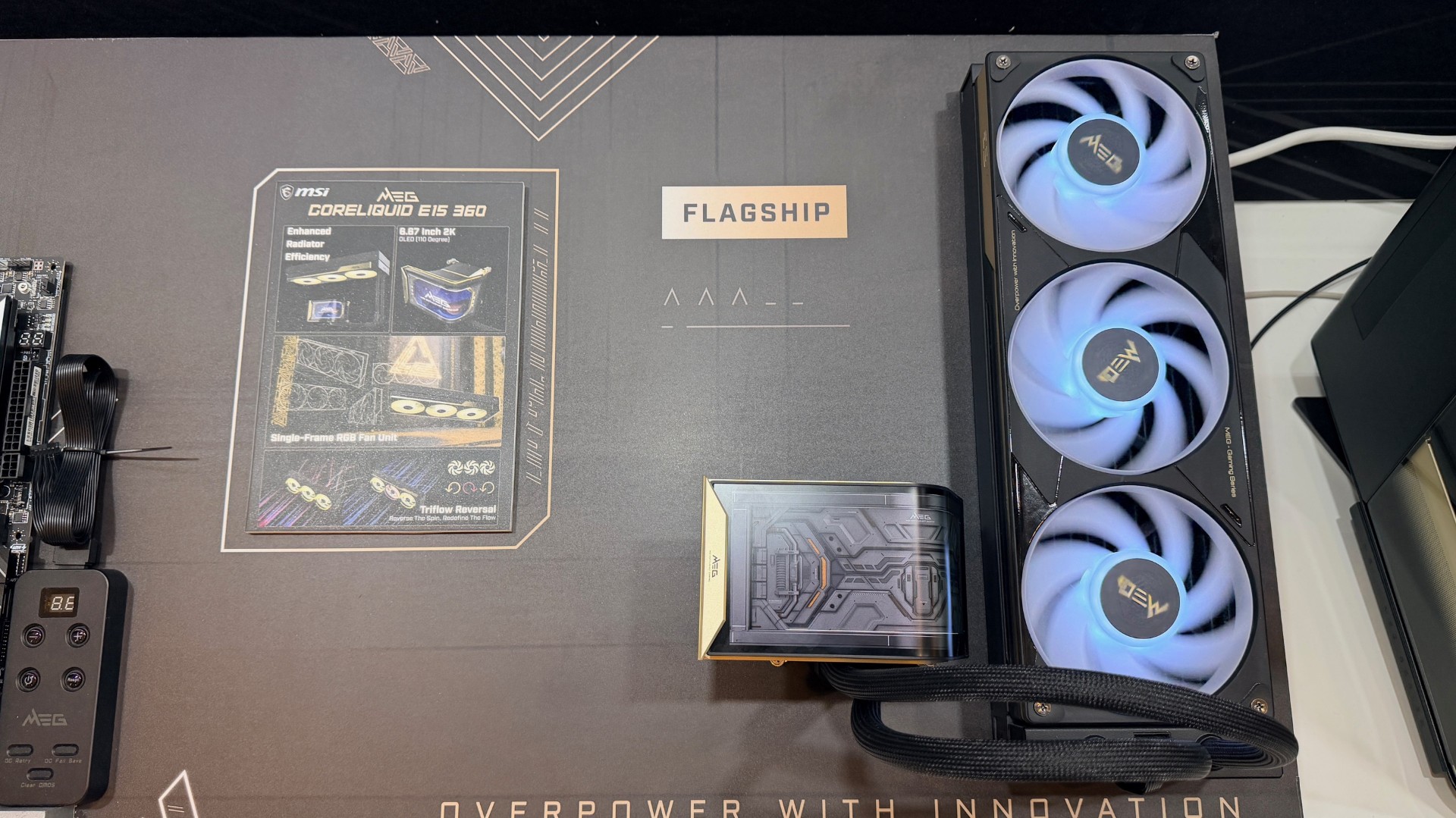
MEG CoreLiquid E15 360

Cooling is handled at the top end by the MEG CoreLiquid E15 360. Beyond the obvious headline feature (which is a curved 6.67-inch OLED display with 2K resolution), the more interesting detail is the fan and cabling architecture.

The three radiator fans use alternating rotation directions to reduce turbulence and improve airflow consistency. All power, control and RGB signalling is routed through a single JAF_2 connector, significantly reducing cable clutter and potential installation errors.

The OLED display is configurable for system telemetry or custom visuals, but it also reinforces MSI’s broader move towards integrated system monitoring rather than relying on third-party tools.

MEG Ai1600T PCIE5 power supply
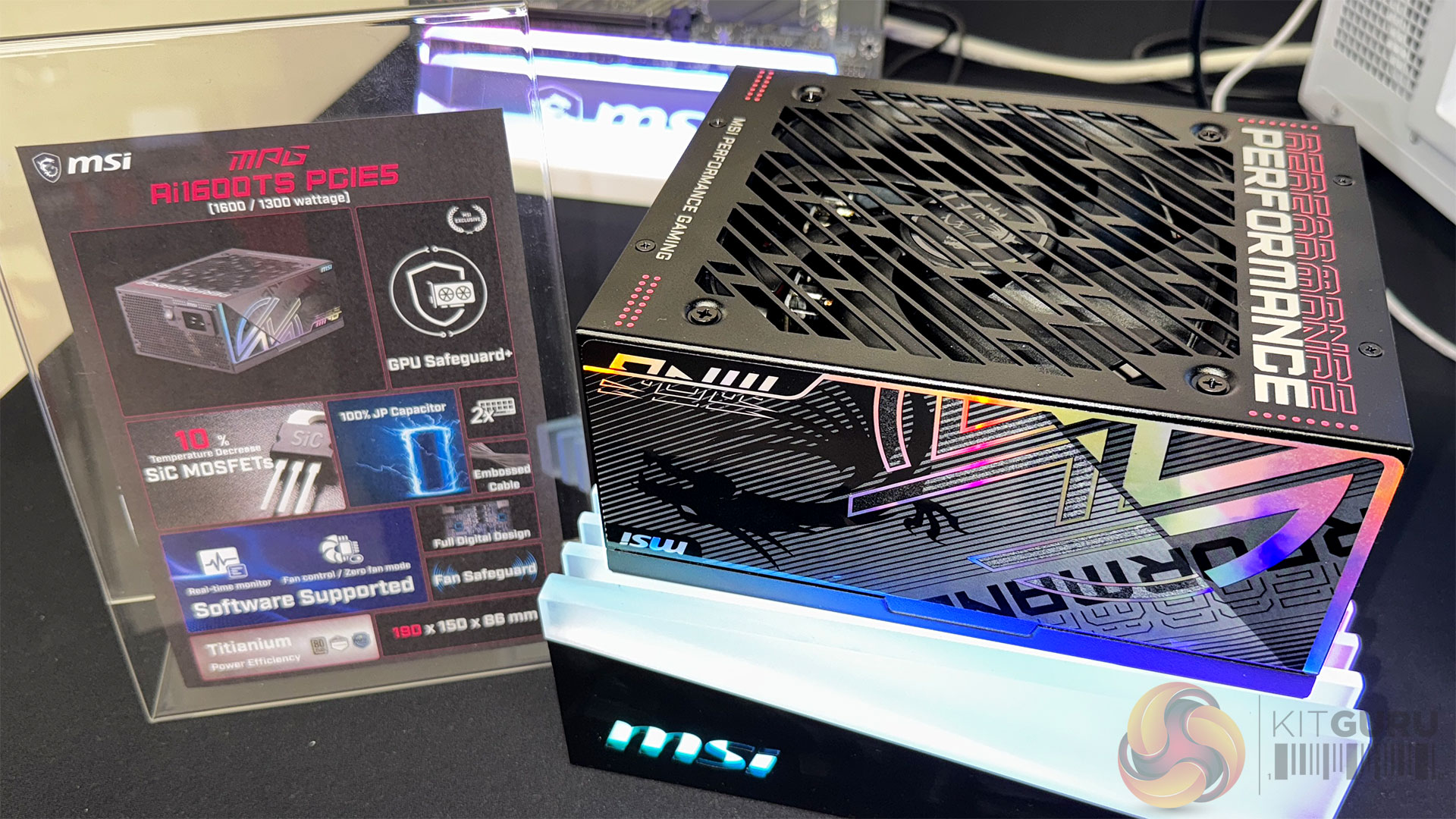
At the base of the system sits the MEG Ai1600T PCIE5 PSU. Rated for up to 1,600W with 80 Plus Titanium efficiency, it uses a fully digital design with SiC MOSFETs, reducing operating temperatures by around 10 percent compared to conventional silicon solutions.

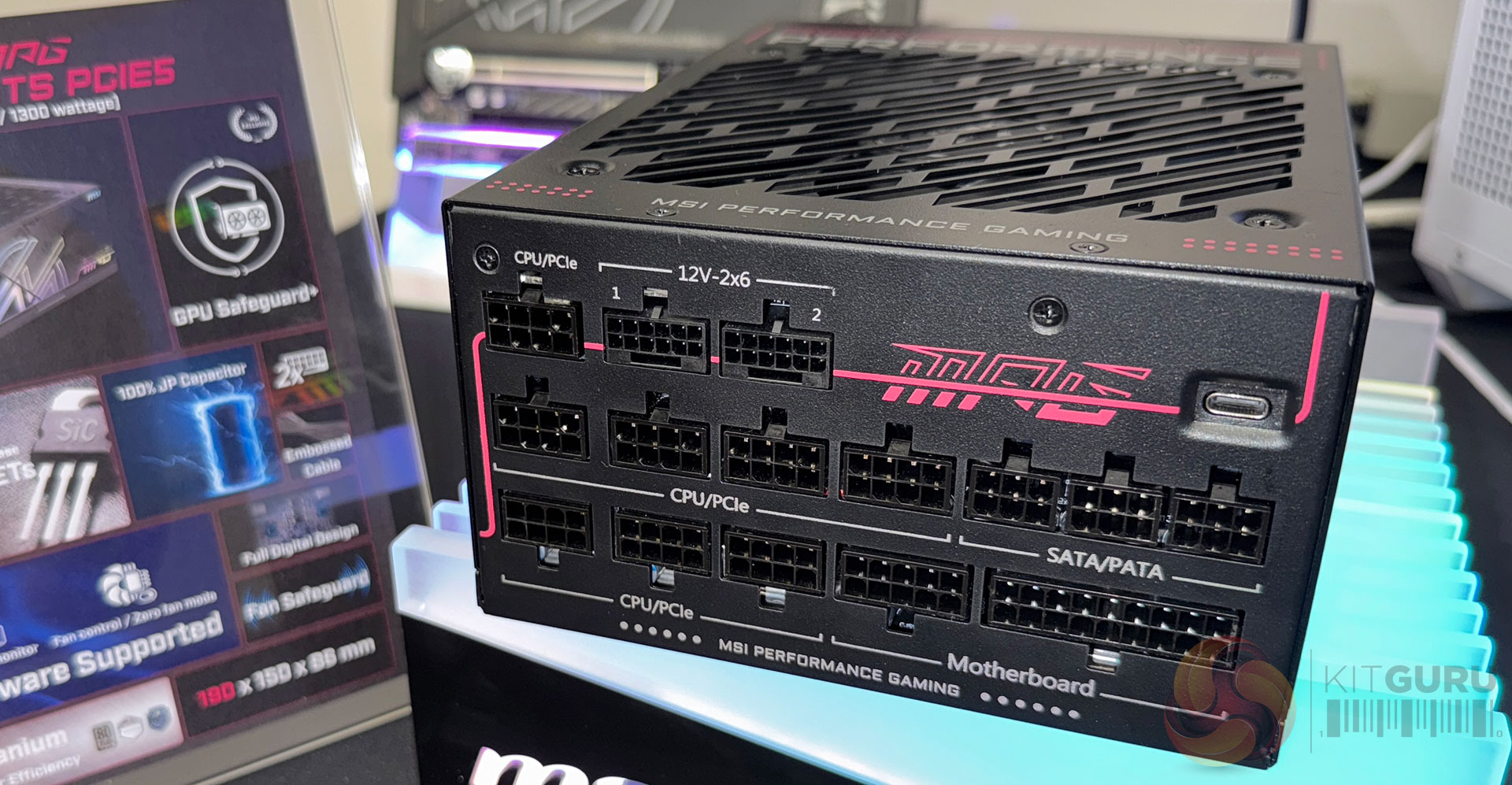
It provides dual 12V-2×6 connectors for flagship GPUs, which is increasingly relevant as single-card power budgets continue to climb. However, raw capacity is not the most important story here. That comes with Safeguard+ that is available on MPG Ai1600TS / Ai1300TS PCIE5, but not on the MEG Ai1600T PCIE5.

Safeguard+: Looking to address a real-world failure point
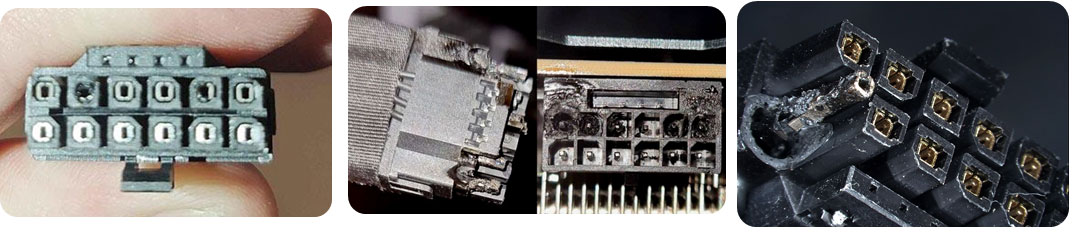
The move to the 12V-2×6 connector has solved some problems and created others. While it simplifies cabling and supports higher power delivery, it has also exposed systems to failures caused by poor seating, uneven current distribution and sudden overcurrent events. Safeguard+ is MSI’s attempt to deal with this ‘at the PSU level’, rather than leaving it to the GPU or the user.

According to MSI, there continue to be power coupling issues across the industry – when connecting major-draw graphic cards and power supplies. They were careful to point out that if you only connect your GPU once, then it's likely to be fine – but if you (re)connect on a regular basis – then there is potential for problems.

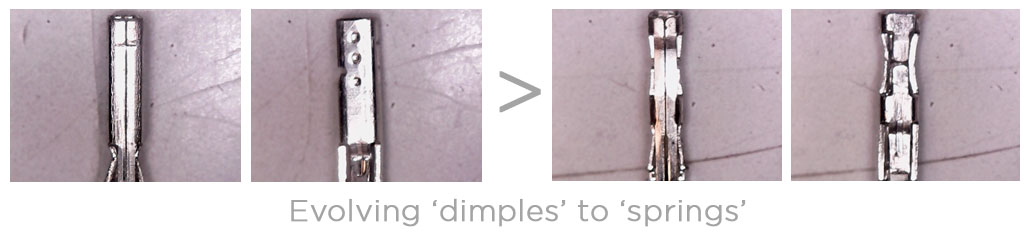
By changing connection mechanisms and other improvements, MSI believes that it can make high-wattage connections much safer. But the immovation doesn't stop with the physical PSUs themselves. Enter Safeguard+.

How Safeguard+ works
Safeguard+ uses an onboard microcontroller to monitor current across individual pins on the 12V-2×6 connector in real time. If it detects current imbalance or an instant overcurrent condition, the system moves through a defined protection sequence.

First, the user is alerted via a physical buzzer and an on-screen notification through MSI Center. If the issue is not resolved, the system disables video output while continuing to sound the alert, forcing user intervention before damage can occur.

This is not a soft warning system. It is designed to interrupt operation before heat or electrical stress causes permanent damage to the PSU, GPU or connector itself. We question whether an audio alarm is the best way forward, but at least it’s hard to ignore.

Software integration and logging
Through MSI Center, users can monitor real-time current delivery, PSU efficiency, temperatures and fan behaviour. Logs can be reviewed over time, making it easier to diagnose intermittent issues or confirm that a system is operating as expected under load.

Safeguard+ is implemented differently depending on PSU tier. MPG Ai1600TS and Ai1300TS models support dual 12V-2×6 monitoring with full software integration, while MAG-series units support single-connector protection with hardware alerts only.

Fan Safeguard
Alongside GPU-focused protection, MSI has implemented Fan Safeguard across new MPG and MAG PSUs. If the PSU fan fails to follow its expected rotation profile, whether due to dust build-up or disconnection, the PSU shuts down to prevent overheating. This is a simple feature, but it addresses a common long-term failure mode that is often ignored until damage has already occurred.

MAX series motherboards for AMD Ryzen: preparing for what comes next
The third pillar of MSI’s strategy is the MAX motherboard range, built around AMD’s X870E chipset. MAX is not a cosmetic refresh. It is a structural upgrade designed to extend platform relevance as CPU, memory and I/O demands increase. There will also be new B850 models on show at CES from MSI.

Power and memory headroom
MAX boards scale up to 24 power phases with 110A stages on flagship models, with memory support officially extending beyond DDR5-10000 on compatible kits. While not every user will reach these limits, the headroom matters for stability at more modest settings.

MSI has also paid attention to PCB design, using higher layer counts and server-grade materials on upper-tier boards. This improves signal integrity for both memory and PCIe 5.0 devices, which is increasingly important as data rates climb.

Lane allocation and PCIe 5.0
One of the quieter but more meaningful improvements is how MSI handles PCIe lane bifurcation. On MAX boards, the GPU x16 slot and dual PCIe 5.0 M.2 slots can operate independently, avoiding bandwidth sharing that can limit performance in real-world workloads.

On boards like the MEG X870E GODLIKE X Edition, MSI goes further, supporting up to five onboard M.2 drives plus additional Gen5 storage via the included Xpander-Z card.

Connectivity and I/O
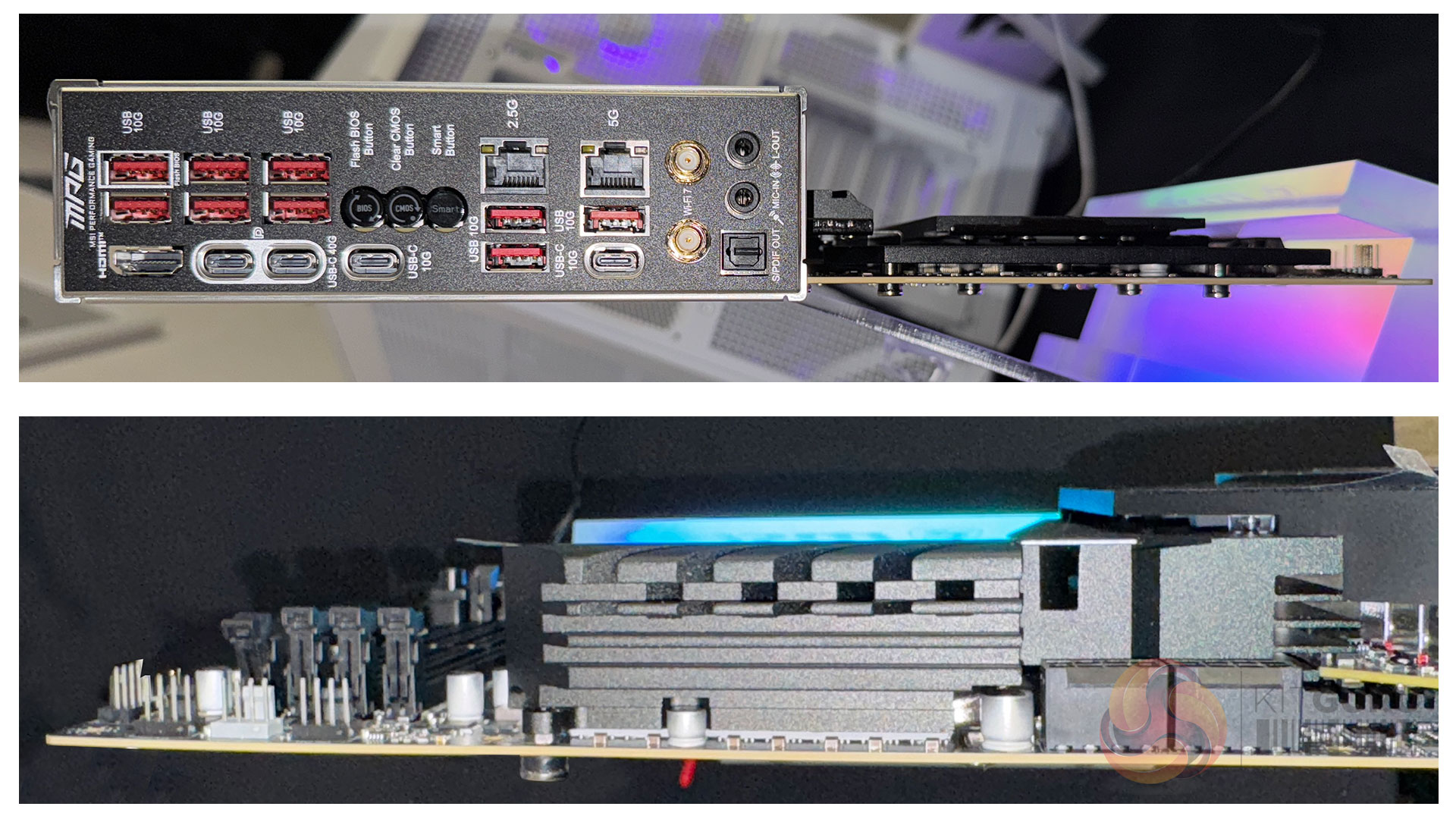
MAX boards standardise features that were previously reserved for select models. USB4, Wi-Fi 7 with full 320MHz channel support, and up to 10Gb Ethernet are now consistent across much of the range.

Front-panel USB-C charging is also enhanced, with up to 60W power delivery on higher-end boards, monitored in real time through the BIOS and software.

EZ DIY, taken seriously
MSI’s EZ DIY approach is not new, but on MAX boards it feels more comprehensive. Tool-free M.2 installation, PCIe slot release mechanisms, pre-installed I/O shields and consolidated cabling via EZ Conn and EZ Link designs all reduce friction during assembly and maintenance.

These are not headline features, but they matter when dealing with large, heavy GPUs and dense internal layouts.

In practical terms, we were told that a well configured system built on an MSI Max motherboard for Ryzen, could give you 5% to 15% additional in-game performance.

Across MEG, Safeguard+ and AMD MAX, MSI’s direction appears clear. The company is engineering for systems that are pushed hard, run for long periods and carry real financial risk when something goes wrong.

Rather than relying on user discipline or aftermarket solutions, MSI is building protection, monitoring and control into the platform itself. That does not make these systems simpler, but it does make them more predictable, which is arguably more valuable at this end of the market.

For enthusiasts, overclockers and professionals running high-end hardware at the edge of specification, that shift may prove more important than another incremental performance headline.

KitGuru says: In the DIY PC space, consumers are used to mixing up components from different vendors and throwing them all together in one system. As companies like MSI start to fill out their own ‘ecosystems' more, it becomes more tempting to buy more of your components from one place, as they've been designed to work well together. 

The post CES 2026: MSI unveils MEG system, AMD MAX motherboards and more first appeared on KitGuru.
❌